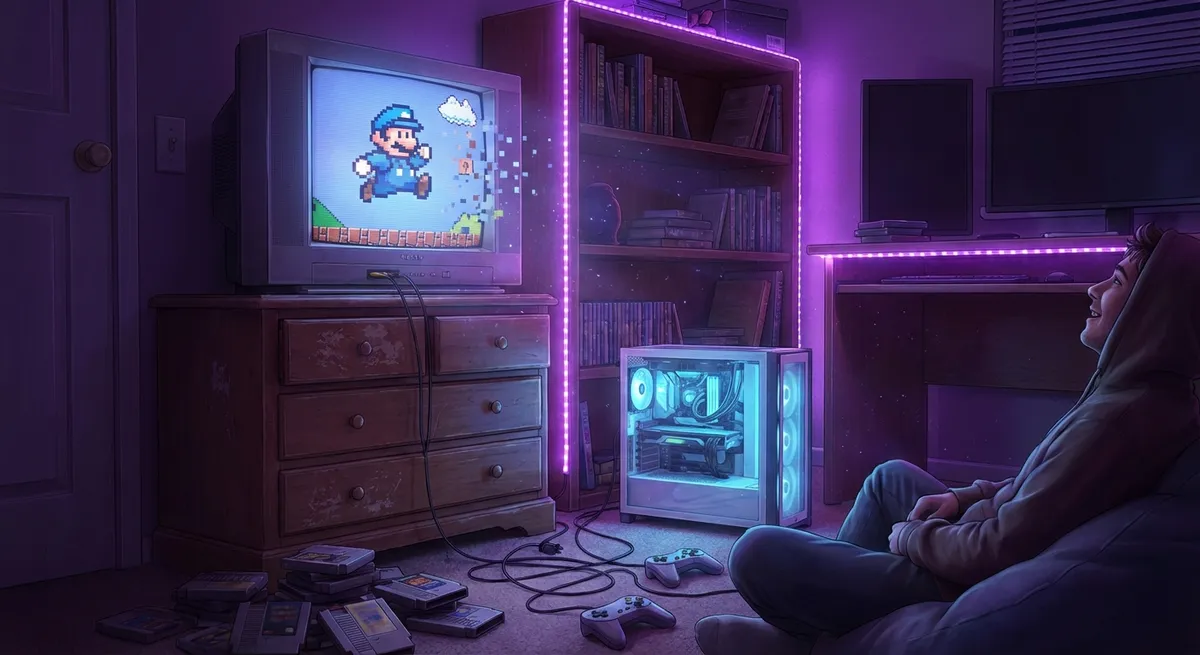
Nostalgia used to mean dragging an old console out of the closet and hoping it still worked. Now? You fire up a “remastered” version, crank the settings, and your childhood suddenly runs at 120 frames per second with ray‑traced reflections. Retro and “retro‑style” gaming isn’t just back—it’s getting serious tech upgrades.
Let’s dig into some of the coolest ways modern tech is quietly transforming old, simple, or pixelated games into something that feels surprisingly high‑end.
1. Pixel Art Isn’t Low-Tech Anymore
Pixel art used to be a hardware limitation. Now it’s a flex.
Modern pixel art games use powerful engines (like Unity and Unreal) that were built for 3D blockbusters, but they’re rendering chunky sprites, dynamic lighting, and insanely detailed animation instead.
You’re getting things like:
- Soft shadows and fake “volumetric” lighting on flat pixel environments
- Subtle particle effects—dust, sparks, rain—that still match the chunky style
- Smoother camera movement and parallax scrolling that would have melted 90s hardware
- Massive sprites and backgrounds that look retro but behave like modern assets
The cool part: devs can keep the nostalgic look while sneaking in ultra-modern tricks like dynamic weather, advanced physics, and complex enemy AI. Your “simple” platformer is often running on the same tech that powers open-world RPGs—it’s just wearing a pixelated disguise.
2. AI Upscaling Is Giving Old Games a Fake 4K Makeover
You’ve probably seen AI upscaling in TVs and streaming services—take a low-res image, blow it up using clever math, and pretend it was always that sharp.
PC gaming is doing something similar, but live, while you play.
Tech like:
- NVIDIA DLSS (Deep Learning Super Sampling)
- AMD FSR (FidelityFX Super Resolution)
- Intel XeSS
takes a lower-resolution image and uses trained AI models or smart algorithms to reconstruct extra detail. You get higher frame rates, but the output still looks like you’re playing at a higher resolution.
Here’s where it gets fun for retro and older titles:
- Emulators can use AI-based shaders to clean up old textures
- Fan projects use AI tools to upscale classic game textures into 4K
- Older PC games can be wrapped with upscaling tools to look way sharper than they were ever meant to
It’s like giving a PlayStation 2-era game a modern PC graphics card and saying, “Do your best.” And surprisingly, it often does.
3. CRT Filters and “Fake Old Tech” Are Weirdly Advanced
Modern screens are sharp, bright, and flat—which is great… except a lot of old games were designed to be viewed on bulky CRT TVs with scanlines, blur, and warped colors.
To make those games look “right” again, devs and emulator creators are building some absurdly detailed visual filters:
- Scanline shaders that simulate the horizontal lines of CRT displays
- Curvature and glow that mimic the curve and bloom of old glass screens
- Color bleed and phosphor effects so pixels blend like they used to
- Per-pixel warping that replicates the weird distortions at the edges of the screen
This isn’t just slapping a “vintage” filter over the top. High-end CRT shaders render multiple passes, calculate how light originally diffused across the glass, and simulate how colors mixed at different brightness levels.
The result: your retro game feels like it’s running on a 1998 TV, while actually running on a modern OLED at 4K. It’s fake authenticity, powered by very real GPU math.
4. Input Latency Is the New Frame Rate War
Once you stop arguing about resolution, gamers graduate to a new obsession: input latency—how long it takes between you pressing a button and the game responding.
For old-school action games and fighters, that delay is everything. Modern tech is quietly making this feel snappier, even on systems that aren’t directly built for esports:
- Low-latency modes in TVs and monitors that skip extra processing
- Game Mode and VRR (Variable Refresh Rate) to reduce stutter
- Specialized controllers and 8-bit style gamepads with better polling rates
- OS-level tweaks in Windows and consoles focused purely on shaving milliseconds
Even streaming services like Xbox Cloud Gaming and NVIDIA GeForce NOW are obsessed with latency tricks—predictive input, smart encoding, data center placement—just to make cloud gaming feel more like local hardware.
If a platform can get old, timing-sensitive games feeling responsive over Wi-Fi? That’s not retro—it’s black magic in a router.
5. Modding Communities Are Basically Running Unofficial R&D Labs
Some of the wildest “retro glow-ups” aren’t coming from studios—they’re coming from fans with time, curiosity, and access to mod tools.
Modders are:
- Replacing old textures with 4K versions (often created with AI assistance, then hand-tuned)
- Injecting modern post-processing like ambient occlusion, depth of field, and better bloom
- Rewriting parts of the game engine so it supports ultrawide monitors and high refresh rates
- Porting classics to new platforms and wrapping them in modern rendering APIs like Vulkan or DirectX 12
In a weird twist, major studios sometimes end up learning from (or hiring) the same people who’ve been unofficially upgrading their games for years. That “fan patch” that makes a 20-year-old game run beautifully on Windows 11 at 1440p? It’s basically a free tech upgrade the original devs never planned for.
Retro gaming isn’t just collecting cartridges—it’s an ongoing, highly technical community project.
Conclusion
Retro and simple-looking games are quietly some of the most interesting tech playgrounds right now.
Underneath the chunky sprites and PS2-era textures, you’ve got AI-driven upscaling, shader magic, low-latency engineering, and fan-made upgrades that rival official remasters. The games might look old on purpose—but the tech keeping them alive absolutely isn’t.
So next time you boot up a “classic” that somehow runs smoother, sharper, and better than you remember, it’s not just nostalgia. It’s a whole stack of modern technology working behind the scenes to make your memories look as good as they feel.
Sources
- [NVIDIA DLSS: What It Is and How It Works](https://www.nvidia.com/en-us/geforce/technologies/dlss/) - Official overview of NVIDIA’s AI-powered upscaling tech used in many modern games
- [AMD FidelityFX Super Resolution (FSR)](https://www.amd.com/en/technologies/fidelityfx-super-resolution) - AMD’s explanation of its open upscaling technology that boosts frame rates while trying to keep image quality high
- [Display Lag and Game Mode Explained](https://www.rtings.com/tv/tests/inputs/input-lag) - RTINGS.com breakdown of input lag, Game Mode, and why latency matters for gaming
- [CRT Shader Discussion for Retro Games](https://www.libretro.com/index.php/reshade-and-crt-shaders/) - Libretro’s look at CRT-style shaders and how they recreate old display behavior
- [Modding Classic Games for Modern Systems](https://www.pcgamer.com/the-complete-guide-to-modding-your-pc-games/) - PC Gamer’s guide to modding, including how communities enhance and modernize older titles
Key Takeaway
The most important thing to remember from this article is that this information can change how you think about Gaming.