If you’ve ever played the same game on PC, console, and cloud and thought, “Why does this feel like three different games?” — you’re not imagining it. The hardware, screen, and even your internet connection quietly rewrite the experience every time you switch platforms.
Let’s pull that apart and look at how the tech behind the scenes changes what it feels like to play, even when the title on the box is exactly the same.
The Invisible Lag: How Milliseconds Change Your Aim
You tap a button, your character jumps. Simple, right? Not really.
Between your controller or mouse, your device, and your screen, a bunch of tiny delays stack up — we’re talking milliseconds, but in gaming, that’s a lifetime.
On PC, you often get:
- Higher frame rates (120 fps and beyond)
- Faster monitors with low response times
- More direct input paths (especially with wired peripherals)
On consoles and cloud platforms, you might be dealing with:
- Extra processing to smooth frames or upscale resolution
- Wireless controllers adding a little latency
- Cloud streaming sending your actions off to a server and back again
That’s why a twitchy shooter can feel laser-sharp on one setup and slightly “floaty” on another. Your brain notices even when you don’t have the numbers in front of you. Tech specs turn into gut feelings — “snappy,” “clunky,” or “just right.”
Controllers vs. Keyboard & Mouse: Your Hands Change the Game
Same game, totally different body language.
On console, you’re usually holding a controller:
- Analog sticks give you smooth but slower turning
- Triggers feel great for racing games and shooters
- Vibration adds tension and feedback in a very physical way
On PC, keyboard and mouse shift the experience:
- Mouse aiming is precise and fast — great for shooters and strategy games
- Keyboards let you map tons of actions, perfect for MMOs and complex games
- But it’s far less “couch-friendly” than a controller
More and more games now let you plug controllers into PCs and use keyboard/mouse on consoles, blurring the lines. But developers still design around what most players will be using. That’s why aim assist is common on console shooters, and why some PC games feel like they were clearly “born” on controller first.
Your platform doesn’t just change performance — it changes how your hands talk to the game.
Screens, Frames, and Resolution: What Your Eyes Don’t Tell You Directly
Gamers love to argue about 30 vs 60 vs 120 fps, but what you feel isn’t always what you can easily see.
On TV-based consoles:
- You might be sitting several feet away
- Motion blur, post-processing, and “game mode” settings can all change how smooth things feel
- 30 fps can feel okay for slower games but rough in fast ones
On PC monitors:
- You’re closer to the screen
- High refresh rates (120 Hz, 144 Hz, 240 Hz) make inputs feel more connected
- Motion looks cleaner, which makes aiming and camera movement easier
Then there’s resolution: 4K looks amazing on big screens, but many players would rather crank down resolution to keep higher frame rates. Cloud gaming adds another visual twist — compression. A competitive shooter might feel “fine” but look slightly smeared compared to a local version, especially in fast motion.
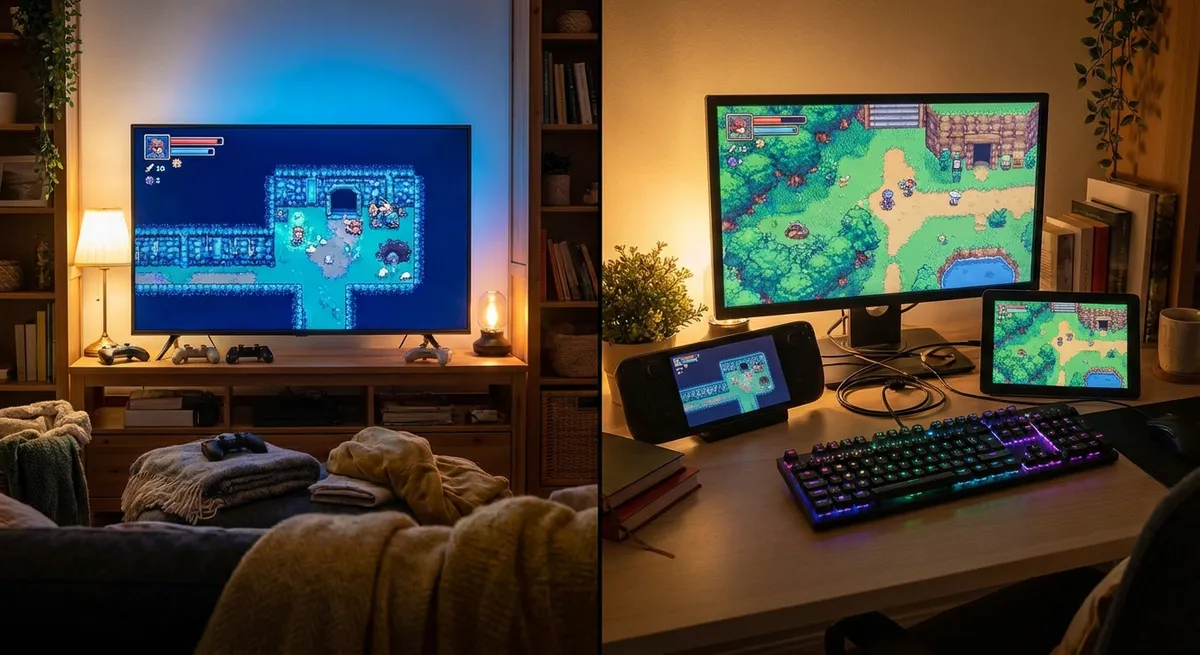
End result: the same game can feel like a cinematic experience in the living room, and like a hyper-responsive esports machine at a desk.
Cloud Gaming: Your Internet Connection Becomes Part of the Hardware
Cloud platforms try to give you “high-end PC” performance on almost anything — laptops, old PCs, phones, TVs. The catch? Your internet connection basically is your graphics card and CPU.
With cloud gaming:
- Your inputs travel to a remote server
- The game runs in a data center
- A video stream of the game is sent back to you in real time
When everything lines up — good server location, strong connection, low congestion — it can feel surprisingly close to local hardware, especially for slower-paced games, RPGs, and story-heavy adventures.
But when things aren’t great:
- Input delay creeps up
- Visuals get fuzzy or artifacts appear
- Fast action feels “off,” like there’s a half-second of mental lag
For tech enthusiasts, it’s wild: your “platform” isn’t really the device in front of you anymore — it’s a combo of your Wi-Fi router, ISP routing, and server placement.
Cross-Play and Cross-Save: Your Progress, Their Hardware
The coolest part of modern gaming might not be graphics at all — it’s continuity.
Cross-play and cross-save let you:
- Play with friends on different platforms
- Carry your progress from console to PC to cloud
- Pick up your game on a handheld or phone when you leave the house
But that also means you feel the differences between platforms more clearly, because you can bounce between them in the same day.
You might:
- Grind levels on cloud or handheld during a commute
- Switch to PC or console at home for serious boss fights or ranked matches
- Notice how aiming, movement, and even menus feel either slick or clumsy depending on where you are
Developers now have to design with this in mind — UI that scales, controls that adapt, and settings that sync. The game isn’t just a single “thing” anymore; it’s an ecosystem that wraps around your lifestyle and devices.
Conclusion
When a game “feels better” on one platform than another, it’s rarely about one magic spec or brand. It’s the mix of:
- Input devices and how your hands interact
- Screen, frame rate, and distance from your display
- Local hardware vs cloud servers
- Network quality and latency
- How well the game is tuned for each setup
For tech enthusiasts, that’s the fun part: your hardware choices, your internet setup, and even where you sit in the room all quietly reshape the same game into slightly different versions of itself.
So the next time someone says, “It just plays better on X,” you’ll know there’s a whole stack of tech — and a few milliseconds — hiding behind that opinion.
Sources
- [Microsoft – Understanding latency in Xbox gaming](https://support.xbox.com/en-US/help/hardware-network/connect-network/low-latency-gaming) – Overview of what affects input lag and latency on Xbox and networks
- [NVIDIA – High refresh rate gaming explained](https://www.nvidia.com/en-us/geforce/news/what-is-refresh-rate/) – Breakdown of how refresh rates and frame rates impact perceived smoothness and responsiveness
- [Valve Developer Community – Input lag and frame timing](https://developer.valvesoftware.com/wiki/Source_Multiplayer_Networking) – Technical look at networking, lag, and how they affect multiplayer experiences
- [Google Cloud – How cloud gaming works under the hood](https://cloud.google.com/blog/products/media-entertainment/cloud-gaming-in-google-cloud) – Explanation of the infrastructure and streaming challenges behind cloud gaming
- [Sony PlayStation – Cross-play and cross-save support details](https://www.playstation.com/en-us/support/games/crossplay-ps5-ps4-games/) – Official information on cross-play and how it connects players across platforms
Key Takeaway
The most important thing to remember from this article is that this information can change how you think about Gaming.