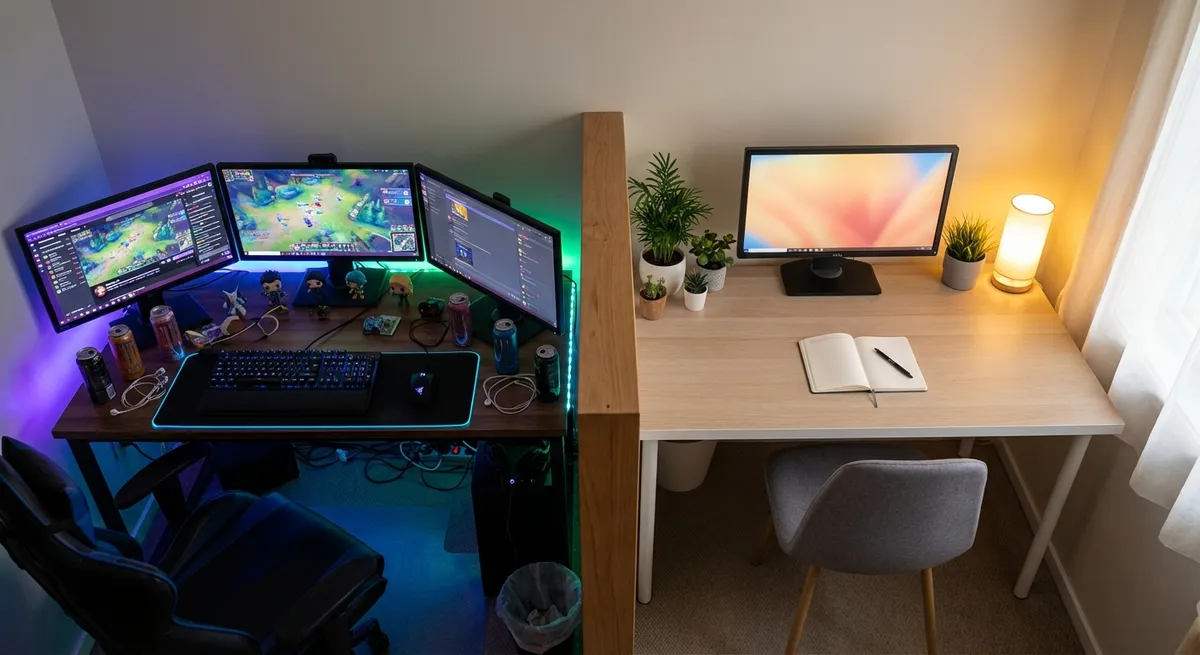
Your gaming setup says way more about you than your Instagram grid ever will. The gear you buy, the way you arrange it, the games you play on it—it all quietly broadcasts your priorities as a tech-loving human. And no, this isn’t a “PC Master Race vs console peasant” situation. This is about what your choices actually say beneath the RGB glow.
Let’s unpack five surprisingly revealing (and kinda fascinating) things about modern gaming setups that tech enthusiasts don’t always say out loud—but definitely notice.
1. Your Display Choice Shows What You Really Care About
Monitor or TV? High refresh or 4K? Ultrawide or dual screen? Your display is basically your gaming personality test.
If you’re rocking a 240Hz (or higher) monitor, you’ve probably made peace with the fact that you care more about feel than pretty pixels. You’re chasing input responsiveness, smooth motion, and those micro-moments in shooters or MOBAs where a single frame matters. You’re the “I swear I can feel the difference” friend—and you’re not totally wrong. Studies and esports adoption show that higher refresh rates genuinely improve motion clarity and reduce perceived blur, especially in fast games.
If you went all-in on a big 4K TV with HDMI 2.1, you’re more about cinematic immersion and comfy couch sessions. You’re in it for HDR, jaw-dropping vistas, and games that feel like interactive movies. Input lag tech has gotten good enough that you can still be competitive, but you’ve clearly prioritized “wow” over “sweat.”
Ultrawide users? You’re all about immersion and multitasking. You want your racing sims to feel like you’re actually in the cockpit and your desktop to feel like a command center. You’re also extremely likely to have 10+ tabs open while queue times tick away.
Underneath all of this, your display choice exposes your real tech priority: responsiveness, visuals, or versatility.
2. Your Controller vs. Mouse/Keyboard Battle Is Really About Control
We all pretend the “best” input method is objective. It’s not. It’s about what kind of control you want over your experience.
Mouse and keyboard users are usually optimization-brained. You like precision, remappable keys, and the feeling that if you lose, it’s not because your gear held you back. You’re more likely to tweak sensitivity curves, adjust DPI, and obsess over your desk mat friction because, deep down, you love the process of dialing systems in.
Controller loyalists tend to lean towards comfort and consistency. The ergonomics, the haptics, the analog sticks—it’s a more relaxed style of control. Even when controllers are technically “worse” for aiming, they win for lounging, racing, platformers, and fighting games. If you grind fighters on a dedicated arcade stick? You’re in the “ritual and feel” camp, where the controller itself is part of the game’s identity.
Then there are the hybrid folks: gyro aiming, paddles, back buttons, custom bindings. You’re the experimenters, blending console comfort with PC-level tuning. You’re probably the same person who tries every beta feature in software “just to see.”
Your chosen input method isn’t just about what’s “better.” It’s about whether you want your tech to feel like a sharp tool, a comfy couch, or a quirky science project.
3. Your Cable Chaos (or Lack of It) Exposes Your Tech Tolerance
There are two types of setups: the ones that look like a studio reveal shot, and the ones that look like the back of a server rack. Both say something very real.
If your cables are neatly routed, labeled, zip-tied, and maybe even color-coordinated, you’re probably someone who hates hidden friction. You know cable management doesn’t make frames higher, but it does make the experience better—easier cleaning, faster swaps, fewer “which HDMI is this?” moments. You’re treating your setup like a long-term project, not just a pile of gear.
If your setup is spaghetti levels of chaos, you’re not necessarily lazy—you’re flexible. You’re probably the “try new hardware just because” type. You rotate consoles in and out, swap GPUs, move between rooms, test random accessories. The mess is a side effect of your constant experimentation. You value being able to plug and play more than having a showroom desk.
Wireless-heavy folks—headsets, mice, controllers—are clearly over friction. You’re willing to charge more devices if it means fewer cables in your life. You’ve traded some potential latency or battery annoyance for overall quality of life. You want the tech to disappear while the game takes center stage.
The state of your cables isn’t just an aesthetic thing; it’s a live report of how much day-to-day tech hassle you’re willing to tolerate.
4. Your Game Library Is a Map of Your Upgrade Obsession
Open your Steam, PlayStation, Xbox, or Switch library and scroll. That list is basically your personal upgrade diary.
If you’ve got tons of older games you still boot up—especially ones that run flawlessly on low or mid-tier hardware—you’re probably more about stability than the constant upgrade race. You’re the person who squeezes extra life out of a GPU or console generation because your favorite experiences don’t actually demand cutting-edge specs.
If you’re chasing every new AAA release with ray tracing toggled on, you’ve turned your gaming setup into a benchmark playground. You’re the type to watch Digital Foundry breakdowns, compare DLSS vs native resolution, and flip through graphics presets just to see how far you can push things. The game is half “play the story” and half “stress-test the machine.”
Cloud gamers—GeForce NOW, Xbox Cloud Gaming, etc.—are quietly making a statement too: you’re okay outsourcing raw power if it means you don’t have to babysit hardware. Your priorities lean towards access, portability, and low-maintenance tech. You trust the internet and data centers more than your own case fans.
Your library and what you actually launch most often reveal whether your rig is a tool to play games—or games are an excuse to maintain a high-end rig.
5. Your Audio Setup Shows How Deep You Want to Fall Into the Game
Audio is where a lot of tech enthusiasts draw the line between “good enough” and “okay, now we’re serious.”
If you’re on a basic headset or TV speakers, you’re focused on convenience and clarity. You want to hear footsteps, dialogue, and sound cues—nothing fancy needed. You’re also likely hopping between party chat, Discord, and in-game comms, so simplicity wins.
If you’ve got a dedicated DAC/amp, studio headphones, or a full speaker setup, you’ve crossed into “I want to feel this” territory. Explosions should rumble, rain should surround you, and sound design suddenly matters as much as graphics. You might have read up on spatial audio, game-specific sound modes, and whether Dolby Atmos or Windows Sonic actually helps in shooters—or just feels nicer.
Then there’s mic quality. If you’re rocking a standalone USB/XLR mic on a boom arm, you’re probably doing more than just gaming: streaming, content creation, or at least sounding broadcast-ready in group chat. Your setup says, “This hobby might be a side hustle,” or at least, “My friends will not suffer crispy headset mic audio.”
Audio gear might be invisible in screenshots, but it’s one of the clearest signals of how deep into the experience you want to go—and how much you care about how you sound to everyone else.
Conclusion
Your gaming setup isn’t just a pile of tech; it’s a reflection of how you think about performance, comfort, control, and even your tolerance for chaos. Whether you’re running a hyper-optimized battle station or a cozy console couch zone, the choices you’ve made quietly map out your tech personality.
Next time you tweak your layout, swap a monitor, or finally tackle that cable mess, pay attention to what you’re actually prioritizing. Because underneath the RGB and the plastic, your setup is telling a story—and if you’re a tech enthusiast, you’re probably rewriting that story a little every time you hit “power on.”
Sources
- [NVIDIA: High Refresh Rate Displays Explained](https://www.nvidia.com/en-us/geforce/news/what-is-g-sync-technology/) - Background on refresh rates, smoothness, and input responsiveness in gaming.
- [Riot Games: Competitive Settings and Input Latency](https://support-valorant.riotgames.com/hc/en-us/articles/360050289634-How-to-Improve-Performance-in-VALORANT) - Practical look at latency, performance tuning, and why responsiveness matters in competitive games.
- [Dolby: Dolby Atmos for Gaming](https://www.dolby.com/gaming/) - Overview of spatial audio and how advanced sound setups change immersion.
- [Microsoft: Xbox Cloud Gaming Overview](https://www.xbox.com/en-US/cloud-gaming) - Official explanation of cloud gaming and how it shifts power away from local hardware.
- [Digital Foundry (Eurogamer): PC vs Console Performance Analyses](https://www.eurogamer.net/digitalfoundry) - In-depth technical breakdowns of displays, performance, and graphics options across platforms.
Key Takeaway
The most important thing to remember from this article is that this information can change how you think about Gaming.