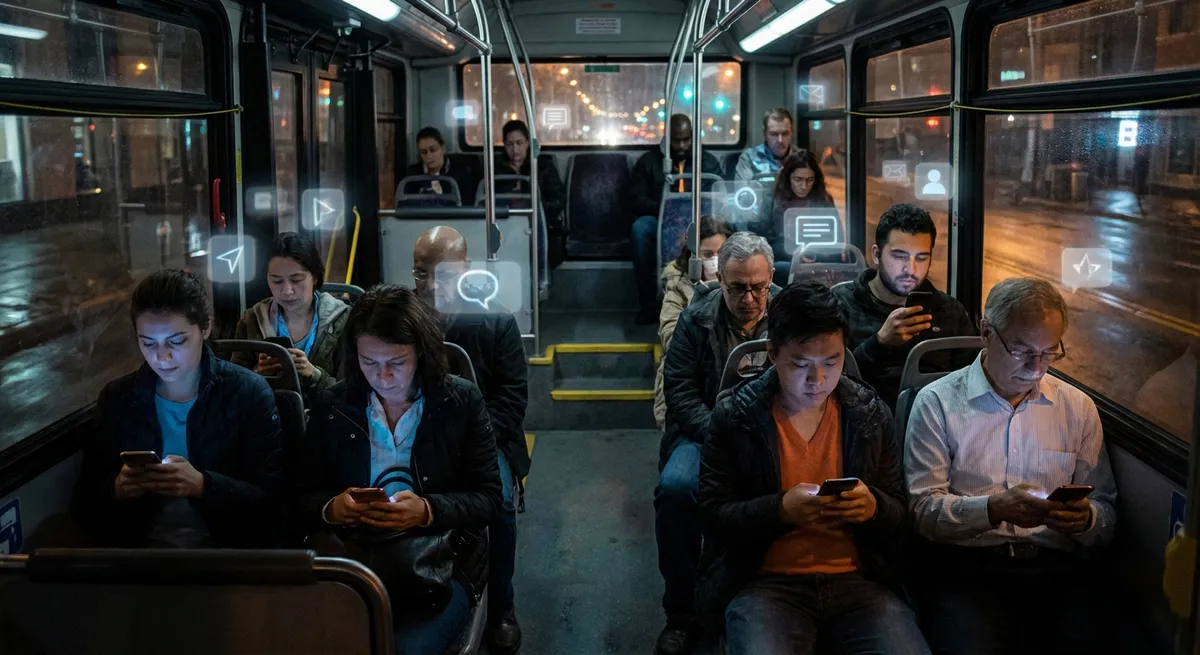
Some apps are useful. Some are addictive. And some are quietly rewriting how tech itself works—without you ever opening the settings menu.
This isn’t another “download these cool apps” list. Instead, let’s pull back the curtain on how today’s apps are evolving under the hood in ways that hardcore tech fans will appreciate—and regular users actually feel.
Below are five shifts happening in app design and behavior that are way more interesting than yet another “Top 10 Productivity Apps” list.
Apps Are Becoming Mini Operating Systems
Once upon a time, your operating system (Windows, Android, iOS, macOS) ran everything, and apps were just guests. Now? Some apps are basically running their own tiny universe inside your phone.
Super app trends in places like Asia (think WeChat, Grab, Gojek) have turned single apps into platforms: chat, payments, shopping, games, ride-hailing, food delivery—an entire digital life in one icon.
Even outside super apps, we’re seeing “app-within-an-app” behavior:
- Instagram has Reels, Shops, DMs, live streaming, and now “Notes”
- Uber runs rides, food delivery, grocery, and package delivery in one app
- Cash App and PayPal act like banking-lite platforms with cards, investments, and crypto
For developers and tech tinkerers, this is fascinating because it shifts where the “real” platform lives. The OS used to be king; now many people spend most of their time inside just a few dominant apps that feel like their own micro-OS.
The trade-off: convenience vs. control. You get everything in one place, but those ecosystems also define what you see, what you can do, and which features rise or die. We’re not just choosing apps; we’re choosing which miniature universe we want to live in.
Your Keyboard Is Now a Data Superpower (and a Privacy Headache)
Most people treat their keyboard app as a boring necessity. Techies know it’s one of the most powerful—and sensitive—pieces of software on your device.
Modern keyboards:
- Learn how you type, what you say, and even how often you swear
- Predict entire phrases, not just single words
- Offer multilingual suggestions without you manually switching languages
- Sync your typing habits across devices via the cloud
That “typing prediction” magic is actually tiny machine-learning models trained on huge datasets, then fine‑tuned to your personal style. Some companies are even pushing more of this computation onto your device so less raw data ever leaves your phone.
The interesting twist: the keyboard has a front‑row seat to your life. Passwords (if you’re not using secure fields), private messages, addresses, search terms—your keyboard sees everything.
So the nerdy question isn’t just “Which keyboard is smoother?” but “Where does this data go, and how is my typing used to train future models?” Tech enthusiasts are watching closely as companies shift from cloud-heavy learning to on-device AI to strike a better balance between personalization and privacy.
Offline-First Apps Are Making the Internet Optional (Sort Of)
We’re used to thinking of apps as useless without a signal. But there’s a quiet movement toward “offline-first” design—where the app is fully usable without a connection, and syncs later when it can.
You see this approach in:
- Note and document apps that save everything locally before syncing
- Mapping and navigation apps with downloadable offline maps
- Podcast, music, and video apps with robust offline modes
- Travel and translation apps storing key data on-device
The engineering trick: instead of assuming “the server is the source of truth,” offline-first apps often treat your device as the primary brain and the cloud as backup or sync partner. That means conflict resolution, version history, and smarter caching under the hood.
Why this matters for tech fans:
- It nudges developers toward better reliability and resilience
- It’s huge for emerging markets with shaky connectivity
- It reverses the trend of “your data lives only on some remote server”
It’s also one of the more user-friendly revolutions quietly shaping app design: fewer spinning loaders, more “it just works” moments—even when your signal bar is lying to you.
Notifications Are Evolving from Annoyances to Interfaces
Notifications used to be a simple “ping and pray” system: send alert, hope user taps. Now notifications themselves are becoming an interaction layer—almost like mini UI surfaces living outside the app.
You’ve probably noticed things like:
- Action buttons: “Reply,” “Mark as done,” “Snooze,” “Like,” or “Archive” directly from the notification
- Rich previews: images, audio controls, maps, boarding passes, QR codes, and more in your lock screen
- Notification categories and priority levels you can tune per app
- Context-aware behavior (e.g., muting notifications while driving or during focus modes)
For developers, notifications are no longer a simple “send text” API—they’re part of experience design. For power users, the lock screen and notification shade are becoming a command center.
What’s especially interesting is how OS makers are trying to fix the “notification apocalypse” they helped create:
- Bundling and digest modes
- Focus filters and do-not-disturb schedules
- Limits on abusive or overly frequent notifications
We’re basically watching a tug-of-war between app engagement goals and OS-level sanity tools. And for once, users actually have meaningful knobs to turn.
App Stores Are Quietly Becoming Policy Battlegrounds
App stores used to be simple: a catalog, a search box, some rankings, done. Now they’re at the center of financial, legal, and design battles that directly affect which apps you can use and how they behave.
A few things happening behind the scenes:
- Payment rules: some app makers want to use their own payment systems to avoid store commissions
- Sideloading and alternative stores: regulators (especially in the EU) are forcing more openness
- “Reader” apps (like streaming, books, and news) negotiating special rules for sign‑ups and purchases
- Security vs. openness debates: how far can you open app ecosystems without turning them into malware playgrounds?
For tech enthusiasts, this is one of the most underrated dynamics in modern computing. The rules of app distribution decide:
- Which indie apps can survive financially
- Whether experimental or niche apps can even reach you
- How easy it is to switch ecosystems (e.g., moving between Android and iOS)
You might just see a “Get” button, but behind that button is a constant negotiation between developers, platform owners, regulators, and—at least in theory—users.
Conclusion
Apps aren’t just colorful icons you tap to kill time. They’re turning into platforms, policy hot zones, AI testbeds, and even offline safety nets.
The interesting part isn’t which specific app is “best” this week, but how the entire idea of an app is shifting:
- From single-purpose tools to mini operating systems
- From simple text pop-ups to rich, interactive notification interfaces
- From “cloud or nothing” to offline-first reliability
- From boring background utilities (like keyboards) to powerful, privacy-sensitive AI layers
- From neutral store shelves to regulated digital marketplaces
Next time you install or update an app, it might be worth asking: what new rules is this thing quietly bringing along with it?
Sources
- [Google Developer Docs: Offline-First Progressive Web Apps](https://web.dev/offline-fallback-page/) – Explains design patterns for offline-capable apps and how they handle caching and sync
- [Apple Developer: Human Interface Guidelines – Notifications](https://developer.apple.com/design/human-interface-guidelines/notifications) – Details how modern interactive notifications are designed for iOS and other Apple platforms
- [Microsoft Research: The Future of Keyboard Input](https://www.microsoft.com/en-us/research/publication/the-future-of-keyboard-input/) – Research-oriented look at how keyboards are evolving with prediction and personalization
- [European Commission – Digital Markets Act (DMA)](https://competition-policy.ec.europa.eu/digital-markets-act_en) – Official overview of new EU rules affecting app stores, payments, and platform power
- [WeChat Official Site – Features Overview](https://www.wechat.com/en/features.html) – Shows how a single app has evolved into a multi-function platform, illustrating the “mini operating system” trend
Key Takeaway
The most important thing to remember from this article is that this information can change how you think about Apps.



