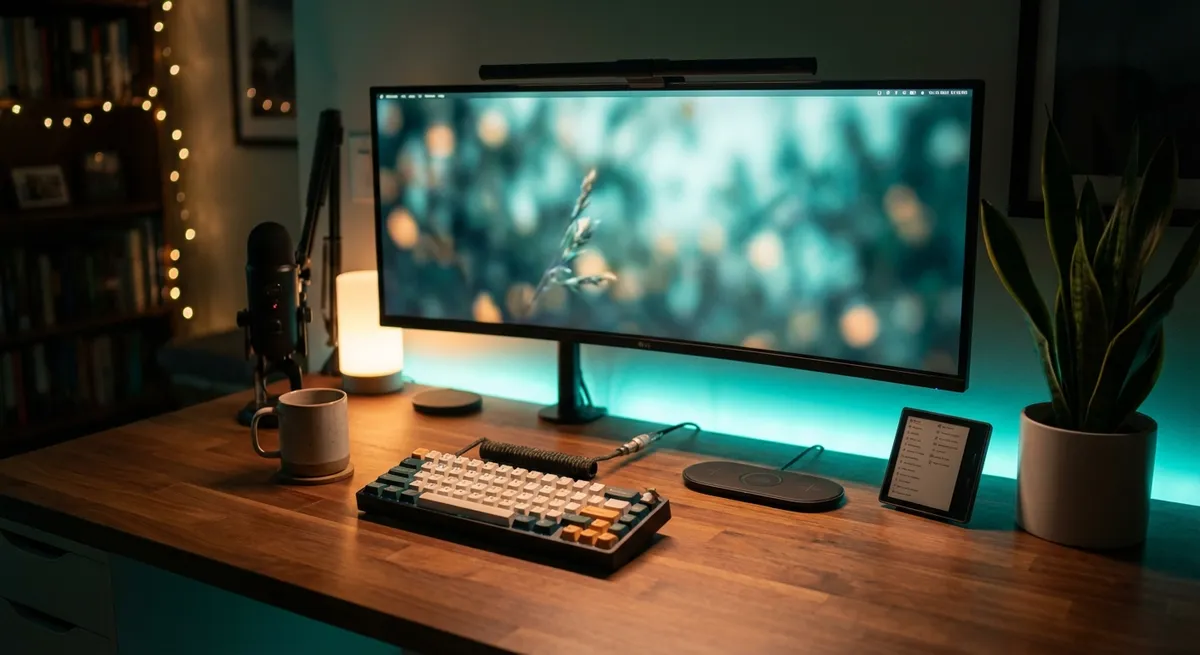
Your desk used to be a flat surface where a laptop went to slowly overheat. Now it’s becoming a full-on command center for your digital life—without looking like a spaceship cockpit (unless that’s your thing).
From screens that follow your eyes to “dumb” objects getting tiny brains, desk gadgets are evolving fast. Let’s walk through some of the most interesting trends and devices reshaping how we work, game, and tinker—without diving into headache-level tech jargon.
1. Monitors Are Learning to Take Care of Your Eyes (And Your Posture)
Monitors are no longer just glowing rectangles. Newer models quietly watch your environment—and sometimes you—to make things easier on your eyes and neck.
Some modern displays can:
- Automatically adjust brightness based on your room’s lighting
- Shift color temperature throughout the day to reduce eye strain
- Use high refresh rates to make scrolling and gaming feel smoother
- Offer “ergonomic” stands that tilt, rotate, and rise like they’re on a tiny robot arm
A surprising detail: a lot of this “comfort tech” was driven by gaming and creative work, but it helps everyone. High refresh rates (like 120Hz and up) started as a competitive gaming thing, but they also make everyday tasks like web browsing feel less choppy.
Add in features like blue light filtering, low-glare coatings, and auto-brightness, and your screen is doing more than just showing pixels—it’s quietly trying to stop your eyeballs from turning into sandpaper.
If you haven’t upgraded in a while, a modern monitor is one of the biggest “instant upgrade” gadgets you can add to your desk. It’s like getting a new PC without actually buying one.
2. Keyboards and Mice Are Turning Into Personalities, Not Just Peripherals
Keyboards used to be “whatever came in the box.” Now they’re deeply personal—loud, quiet, clicky, smooth, wired, wireless, low-profile, or chunky bricks that could double as self-defense tools.
What’s fun about the current wave of input gadgets:
- Mechanical keyboards let you pick the feel and sound—from soft thocks to sharp clicks
- Custom keycaps turn your keyboard into a mini art project
- Programmable buttons let you trigger macros, launch apps, or switch profiles instantly
- Gaming mice now come with adjustable weights, swappable side panels, and insane levels of precision
All of this sounds like “gamer gear,” but here’s the twist: productivity nerds, writers, coders, and even spreadsheet fans are just as obsessed. A programmable mouse button that pastes a routine block of text or a keyboard shortcut that runs your entire build process is not just “nice”—it’s addictive.
The deeper you go, the more your keyboard and mouse stop feeling like tools and start feeling like extensions of how your brain organizes work. Once you’ve dialed in your own setup, a generic office keyboard feels like someone swapped your noise-cancelling headphones for airplane freebies.
3. Desk Power Is Getting Smart (And Weirdly Elegant)
The age of crawling under your desk like a cable goblin is slowly ending.
Modern power gadgets aim to make outlets less ugly and more clever:
- Desk-edge or clamp-on power strips bring outlets and USB ports right to your fingertips
- USB-C hubs and docks turn a single laptop port into an entire workstation
- Some power stations now show real-time power usage, battery levels, and charging speed
- GaN chargers (a newer type of charger tech) stay compact while handling high-wattage devices
What makes this fun for tech enthusiasts is not just convenience—it’s capacity. One slim charger can now juice up a laptop, phone, tablet, and earbuds at once, often faster than older, bulkier models.
And then there are portable power stations—basically supercharged battery bricks with AC outlets. Overkill for some, but perfect if your “desk” sometimes lives in a van, a backyard, or a café with terrible outlet placement.
The trend is clear: instead of a tangle of black plastic bricks, power is becoming visible, manageable, and a bit stylish. Your charging setup can now look intentional instead of like a fire hazard.
4. Audio Gear Is Going From “Background” to “Centerpiece”
Speakers and headphones used to be the last thing people thought about when building a setup. Now they’re basically desk jewelry that also happens to sound really good.
What’s changing:
- Affordable speakers and soundbars deliver surprisingly solid audio for music, movies, and games
- Wireless headphones have become desk essentials, especially with active noise cancelling
- USB microphones and audio interfaces are normal now even for casual streamers and remote workers
- Many speakers and amps support high-res or lossless audio, if you’re into detail and clarity
Remote work accelerated this. Suddenly, everyone realized that “laptop mic plus built-in speakers” made them sound like they were calling in from inside a tin can in a wind tunnel.
For enthusiasts, it’s fun because there are layers you can go down: simple plug-and-play soundbar, wireless ANC headphones, or full-on speakers + DAC/amp + mic setup. Each upgrade changes how you experience your desk, not just what you can do on it.
Good audio is one of those “didn’t know I needed this until I tried it” gadget categories. Once your music, calls, and games sound clean, there’s no going back.
5. “Ambient” Desk Gadgets Are Turning Vibes Into a Feature
Not every gadget on your desk has to be purely functional. Some of the most interesting new devices do small, almost invisible things that change how it feels to sit there.
Think of:
- Smart lamps that match your screen color or shift through the day
- Light strips behind monitors that reduce eye strain and add mood lighting
- Minimalist desk clocks that show time, weather, and notifications at a glance
- Wireless chargers built into stands, pads, or even desk organizers
These are “ambient” gadgets—they don’t demand attention, but they shape your environment.
One underrated trend: lighting that adapts to content. Watching a movie or gaming at night? Bias lighting behind your monitor can make the picture feel richer and reduce eye strain. Smart lamps that warm up in the evening can make late-night sessions less harsh.
Wireless charging, meanwhile, is the kind of small convenience that changes your habits. Drop your phone on the pad when you sit down, pick it up at 100% without thinking about cables. It’s not life-changing on its own—but stacked with everything else, it makes your desk feel like it’s working with you, not against you.
Conclusion
The modern desk is quietly turning into a gadget playground—and not just for gamers or hardcore creators. Screens are easier on your eyes, keyboards and mice are customizable personalities, power is smarter, audio sounds better, and ambient devices are making your setup feel more intentional.
The cool part: you don’t have to upgrade everything at once. Swapping just one piece—a better monitor, a custom keyboard, a solid pair of headphones, a smarter power strip—can make your whole desk feel new.
Your setup is no longer just “where the computer lives.” It’s a small, personal command center. And the gadgets you add to it are less about specs on a box and more about how you actually feel sitting there for hours.
Sources
- [LG – Ergo Monitor Series](https://www.lg.com/global/business/monitor/ergo) – Examples of modern monitors focused on ergonomics, flexibility, and eye comfort
- [Logitech G – Mechanical Keyboards Overview](https://www.logitechg.com/en-us/categories/gaming-keyboards.html) – Breakdown of different mechanical keyboard styles, switches, and customization options
- [Anker – GaN Charging Technology Explained](https://www.anker.com/blogs/charger/what-is-gan-charger) – Clear explanation of GaN chargers and why they matter for compact, powerful desk charging
- [Audio-Technica – USB Microphone Guide](https://www.audio-technica.com/en-us/support/audio-solutions-question-of-the-week/what-is-a-usb-microphone) – Overview of how USB mics work and why they’re popular for home and desk setups
- [Philips Hue – Ambiance Lighting Features](https://www.philips-hue.com/en-us/explore-hue/what-is-smart-lighting) – Details on how smart lighting can adjust color and brightness to match time of day and content
Key Takeaway
The most important thing to remember from this article is that this information can change how you think about Gadgets.