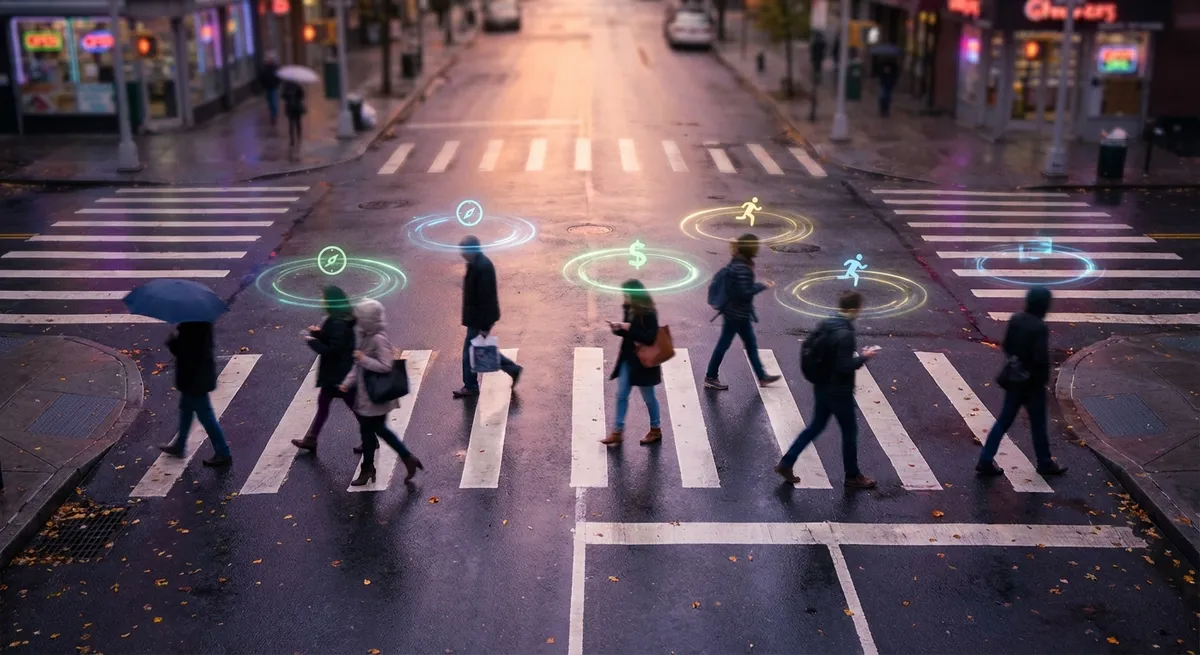
You probably think you know which apps you use the most: Instagram, YouTube, maybe a notes app you swear you’ll organize “later.” But a whole layer of apps quietly shapes your digital life without ever living on your home screen or asking for your attention.
This isn’t about secret hacker tools or sci‑fi software. It’s about the everyday, behind-the-scenes apps and services that make your phone and favorite tools feel smooth, smart, and weirdly… psychic.
Let’s pull back the curtain on five parts of app life that are way more interesting than they look at first glance.
1. The Apps That Aren’t Really “Apps” (But Run Everything Anyway)
When you think “app,” you probably think icons you tap. But a huge chunk of modern app life lives in the background as services, not full-blown programs you open.
On your phone, these are the quiet workers: notification services, backup tools, autofill password helpers, location services, and sync engines. They don’t have flashy interfaces, but if they broke, your “real” apps would feel instantly broken too. Your messages might not show up on time, your photos might stop syncing, and your “seamless” sign-in would become a juggling act of passwords again.
The fun part: a lot of your favorite apps are basically shells for these invisible layers. Your notes app might just be a nicer front end for a sync engine and a search index. Your cloud storage “app” is basically a file-sync engine with a progress bar and a logo.
The more “magical” an app feels, the more it’s probably hiding a small army of quiet background services doing the real work.
2. How Your Apps Talk to Each Other Behind Your Back
Ever wondered how your fitness app knows about your runs from a completely different running app? Or how a random game lets you sign in with Google, Apple, or Facebook instead of making Yet Another Account?
That’s API magic—basically a shared language apps use to talk to each other. You don’t see it, but it’s the reason:
- Your to‑do app can pull tasks from your email
- Your bank app can talk to your budgeting app
- Your food delivery app knows your actual location without you typing it
Companies like Google, Apple, and Microsoft run huge platforms of these app-to-app connections. And then there are third-party services (like Stripe for payments, or Plaid for bank connections) that exist almost entirely to help other apps talk to systems they don’t directly control.
This is why tiny indie apps can feel huge: a one-person project can plug into world-scale services—maps, payments, sign-ins, file storage—without building all of that from scratch. Most of the “wow” moments in modern apps are basically, “We wired a bunch of APIs together in a clever way.”
3. The “Offline” Myth: Your Apps Are Never Truly Alone
Even when you’re “offline,” your apps are often quietly planning their next move for when you reconnect.
Modern apps cache data—basically local copies of stuff they think you’ll need soon. That could be your recent playlists, maps for the area you’re in, or articles you opened but didn’t read yet. The trick: apps try to guess what Future You will need, based on what Recent You was doing.
Some apps take it even further:
- Maps apps preload nearby tiles so scrolling feels instant
- Streaming apps quietly download higher-quality parts of content when your connection is good
- Email and messaging apps sync conversation history before you open them so everything loads instantly
The line between “online” and “offline” has basically melted. You’re living in a weird in‑between state where apps are constantly hedging their bets: “If the connection drops, what can we still make look smooth?”
That “smoothness” doesn’t just happen—it’s designed, tested, and brutally optimized.
4. The Dark Art of Notifications (And Why They Feel So Targeted)
If it feels like some apps “just know” when to ping you, it’s not an accident. Notification systems have become their own mini-science.
Behind that one line of text on your lock screen is usually:
- A timing system: When are you most likely to open the app? Morning commute? Late at night? Weekends only?
- A priority system: Is this urgent (security alert), important (package delivered), or “we miss you, come back”?
- A personalization engine: What have you clicked before? What do you ignore? What did you turn off?
Big apps run experiments on this constantly—changing wording, timing, icons, even color—just to see what gets you to tap. That’s why some apps slowly shift from helpful (“Your order’s on the way”) to clingy (“We haven’t seen you in a while…”).
The interesting twist for tech enthusiasts: newer versions of iOS and Android are quietly fighting back with more control—notification summaries, focus modes, and smarter grouping. The OS is now an active referee between you and every app that wants your attention.
Notifications used to be a firehose. Now they’re a negotiation.
5. The Mini App Stores Hiding Inside Your Favorite Apps
App stores aren’t just the App Store and Google Play anymore. A lot of your most-used apps have quietly turned into their own platforms.
You’ve probably seen this without thinking about it:
- Payment buttons and checkouts inside chat apps or social media
- “Mini apps” or widgets inside maps apps (to call a ride, book a table, or order food)
- In-app browsers that never actually launch your default browser
- “Add‑ons” or “extensions” inside productivity apps like Slack or Notion
These are basically tiny apps running inside bigger apps. Instead of switching between ten different icons, you’re living inside one mega‑app that hosts lots of smaller ones.
For developers, this means they can reach millions of users by building on top of an existing ecosystem. For you, it means one app on your home screen might actually contain a whole little universe.
We’re quietly drifting toward a world where the “app” you tap is just the front door—and most of the interesting stuff lives inside, layered on top, and connected through everyone else’s ecosystems.
Conclusion
Apps used to be simple: you downloaded a thing, opened it, and used it. Now, what we call “an app” is more like a bundle of invisible services, connections, mini‑apps, and background workers all pretending to be one smooth experience.
The wild part is that the most fascinating pieces are usually the ones you never see:
- Background services quietly keeping everything in sync
- APIs linking your favorite tools together
- Offline smarts predicting what you’ll need next
- Notification systems competing for your attention
- Entire ecosystems hiding inside the apps you already use
Once you start noticing these layers, it’s hard to unsee them—and you may look at that home screen full of icons a little differently.
Sources
- [Apple Developer – Background Execution](https://developer.apple.com/documentation/uikit/app_and_environment/managing_your_app_s_life_cycle) - Technical overview of how iOS apps run background tasks and manage app life cycles
- [Google Android Developers – Background Work Overview](https://developer.android.com/guide/background) - Explains how Android handles background services, sync, and scheduled work
- [Meta for Developers – Graph API](https://developers.facebook.com/docs/graph-api) - Example of a major API platform that lets apps communicate and share data
- [Stripe Docs – Payments Integration](https://stripe.com/docs/payments) - Shows how third-party payment services plug into apps and websites behind the scenes
- [Harvard Business Review – The Psychological Tricks in App Notifications](https://hbr.org/2020/05/stop-letting-push-notifications-rule-your-day) - Discusses how notifications are designed and their impact on user behavior
Key Takeaway
The most important thing to remember from this article is that this information can change how you think about Apps.



