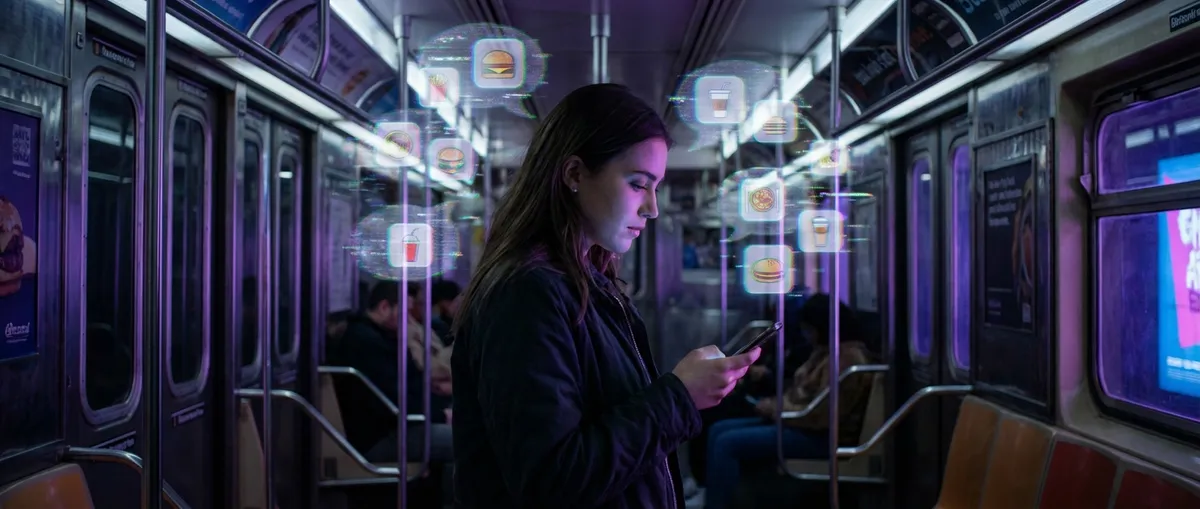
Apps aren’t just “tools” anymore—they’re starting to feel like they know you. They finish your sentences, guess what you want to watch, and nudge you at oddly perfect times. None of this is actually magic, of course, but the tech behind it is getting spooky-good at reading our habits.
Let’s dig into some of the most interesting ways modern apps quietly feel “psychic”—and why tech enthusiasts should be paying attention.
1. Your Keyboard Is Basically Building a Private Language Model of You
If you’ve ever watched your phone keyboard suggest a full sentence you were just about to type, that’s not a coincidence—it’s pattern training.
Behind the scenes, your keyboard app:
- Tracks which words you use together
- Learns your personal slang, emojis, and inside jokes
- Adapts to your typing style (fast thumbs, frequent typos, one-handed chaos)
Even cooler: many keyboards now use on-device learning, meaning your typing data never leaves your phone. Apple’s iOS keyboard and Google’s Gboard, for example, use local machine learning models that update based on what you type without sending full message contents to their servers.
To you, it just feels like, “Wow, my keyboard gets me.” To the system, it’s a constantly updated probability machine trying to guess Word #3 after Words #1 and #2.
For enthusiasts, this is a sneak peek at how personalized AI can be without fully living in the cloud—faster, more private, and tuned to you rather than an average user.
2. Recommendation Feeds Are Tiny Lab Experiments Running on Your Brain
Open TikTok, Instagram Reels, or YouTube, and within minutes the app seems to “lock onto” your vibe. You linger on one cooking video and suddenly your feed is a full-blown food channel.
What’s happening is essentially a nonstop A/B test on you:
- Every scroll, pause, like, or skip is a data point.
- The app tries slightly different kinds of content.
- Whatever keeps you watching longer gets amplified.
The trick: these apps don’t need to understand you as a person. They don’t care if you’re a 22-year-old in college or a 40-year-old night-shift worker. They care about which videos make you stop scrolling.
From a tech perspective, it’s fascinating—and slightly terrifying. The algorithms optimize for one thing: attention. Not happiness, not knowledge, not “value”… just screen time.
If you’re into tech, feeds are a real-time demo of how fast adaptive systems can shape our behavior, one micro-decision at a time.
3. Fitness and Sleep Apps Are Becoming Amateur Health Detectives
Fitness and health apps used to just count steps and call it a day. Now they’re quietly morphing into early-warning systems for your body.
Some things they can already pick up:
- Resting heart rate spikes that might predict illness or stress
- Sleep disruptions that could signal anxiety, apnea, or just terrible bedtime scrolling habits
- Irregular patterns that don’t fit your usual routine and might be worth checking
Wearables like the Apple Watch, Fitbit, Oura Ring, and others feed data into apps that look for subtle changes over time. You might just see a notification like, “Your resting heart rate has been higher than usual this week,” but under the hood, that’s days or weeks of trend analysis.
This isn’t medical-grade diagnosis—but it is a glimpse of where personal health tech is headed: real-time, personalized, and proactive.
The cool part for enthusiasts: this is edge computing + sensor fusion in your pocket. The slightly less cool part: the more detailed the data, the bigger the privacy stakes.
4. “Offline Mode” Is Quietly Getting Way Smarter
A few years ago, “offline mode” just meant your app wouldn’t instantly crash if you lost signal. Now, some of the smartest features on your phone can work totally offline.
Examples you’ve probably seen:
- Translating text or speech without internet
- Live transcription for voice notes
- Photo editing that uses AI to remove objects or clean up images
- Autocomplete and suggestions that work in bad reception
The reason this matters: more apps are shifting heavy AI tasks onto your phone instead of depending on servers. That’s huge for:
- Speed – no server round trip
- Cost – fewer cloud resources
- Privacy – more data stays on your device
For power users, this opens the door to apps that feel both smarter and more trustworthy. You’re not just streaming intelligence from a data center; you’re running it locally on silicon in your hand.
Expect this to explode as newer chips are built specifically for AI-style workloads.
5. Calendar, Notes, and Email Apps Are Quietly Becoming One Giant Brain
Your “productivity” apps are slowly merging into a single, semi-smart assistant—even if they have different logos.
Consider how many connections already exist:
- Calendar apps pull in events from your email.
- Note apps let you paste in meeting info, links, and files.
- Task apps scan your email for phrases like “Can you do this by Friday?” and suggest tasks.
- Some email clients are starting to suggest summaries, responses, and follow-ups.
Right now, this “giant brain” is clunky and fragmented. You still have to jump between apps, copy-paste things, and clean up the mess. But the direction is obvious: apps that coordinate with each other so much that they feel like one layer sitting on top of your life.
For tech fans, the fun part is watching the early stages:
- AI that drafts replies the way you usually talk
- Meeting notes that auto-link to your calendar, docs, and action items
- Search that finds “that PDF from last month with green charts” across apps
Today it’s a bit rough around the edges. In a few years, your “apps” might feel less like separate tools and more like different views into the same personal knowledge system.
Conclusion
Apps are getting weird—in a good way. They’re predictive keyboards that speak your language, feeds that adapt in real time, health trackers that hint at how you’re really doing, offline tools that run serious AI locally, and productivity stacks that slowly fuse into one meta-app.
For most people, it just feels like “my phone is getting smarter.” For tech enthusiasts, it’s a front-row seat to how personalization, on-device intelligence, and behavior-shaping design are quietly redefining what an app even is.
The next wave isn’t just “better apps.” It’s apps that feel less like software and more like extensions of how you think, move, and live—whether you notice it or not.
Sources
- [Apple – Machine Learning on Device](https://machinelearning.apple.com/research/on-device-machine-learning) – Overview of how Apple uses on-device ML for features like typing suggestions and personalization
- [Google AI Blog – Federated Learning](https://ai.googleblog.com/2017/04/federated-learning-collaborative.html) – Explains how Gboard and similar apps learn from users’ data without sending everything to the cloud
- [YouTube – How YouTube Recommendations Work](https://blog.youtube/inside-youtube/on-youtubes-recommendation-system/) – Official explanation of how recommendation feeds adapt to user behavior
- [CDC – Wearable Technology and Health](https://www.cdc.gov/diabetes/data-research/wearable-technology.html) – Discussion of how wearables and health-tracking apps can impact health monitoring
- [Stanford Medicine – Wearable Devices as Health Monitors](https://med.stanford.edu/news/all-news/2020/01/wearable-technology-can-detect-illness-early.html) – Research on how wearables and companion apps can detect early signs of illness
Key Takeaway
The most important thing to remember from this article is that this information can change how you think about Apps.



