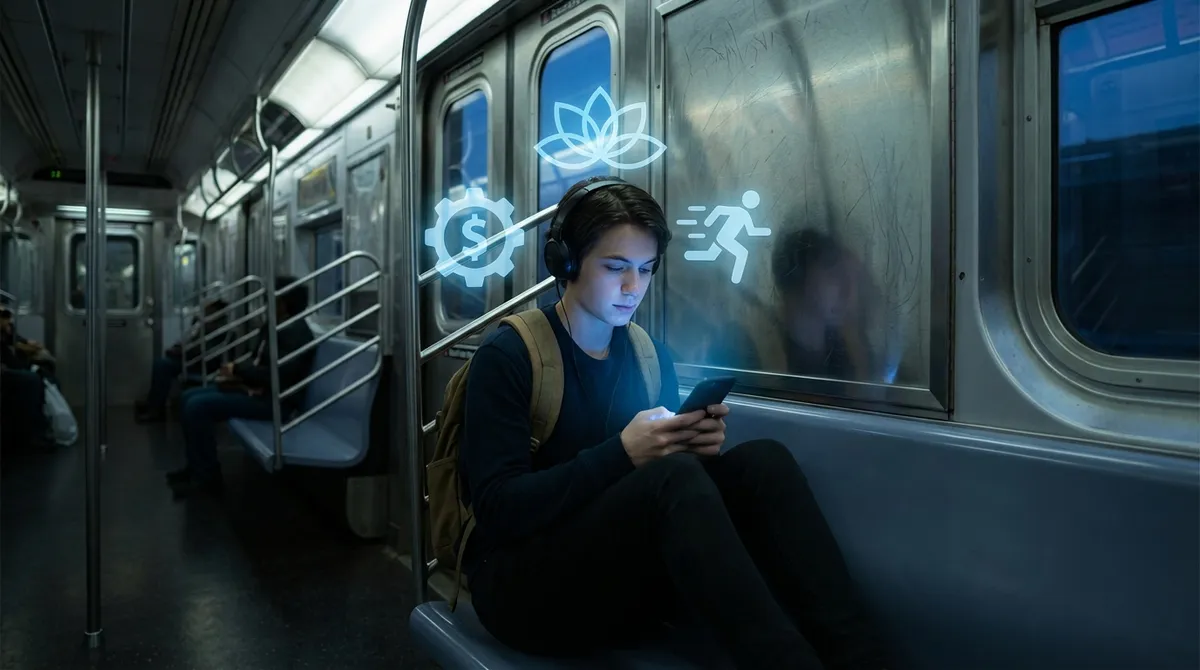
Our phones used to be just “things we use.” Now they’re more like a running script for our day. From the moment we wake up to the moment we doomscroll ourselves to sleep, apps are nudging, tracking, ranking, and “helpfully” suggesting what we should do next.
But under all that convenience, there’s a weirder story: apps aren’t just supporting your habits—they’re actively shaping them. And if you’re even a little bit of a tech nerd, some of the ways they do it are honestly fascinating.
Below are five angles on everyday apps that might change the way you look at that home screen grid.
1. Your Morning Routine Is Basically a Custom-Built Workflow
Think about your first 30 minutes after waking up. No, really.
Alarm app. Weather app. Email or chat. Maybe a meditation app and a news app. That chain of taps? It’s a routine your brain didn’t fully design on its own—apps helped you build it.
Most people don’t sit down and plan a “morning workflow,” but that’s basically what’s happening. Each app in that sequence is competing to be “step one,” “step two,” or “step three” of your day. That’s why:
- Alarm apps add sleep tracking and smart wake-up windows
- Calendar apps push you notifications before you even open them
- News apps send you “briefings” timed right when you wake up
The more an app becomes a non-negotiable part of that chain, the more likely you’ll keep it installed, subscribe, and recommend it. It’s behavior design hidden behind convenience—and once you see it, you can actually hack it.
Want to feel less scattered in the morning? Move distracting apps (social, email, news) off your first home screen and put “intentional” ones there instead: notes, calendar, task manager, or a journaling app. You’re basically editing your morning script without needing any extra willpower.
2. “Streaks” and Badges Are Doing Real Psychological Heavy Lifting
If you’ve ever kept a Duolingo streak alive through food poisoning and a red-eye flight, you already know: streaks are powerful.
Streaks, badges, and “XP” aren’t just cute visuals—they’re built on what psychologists call loss aversion: we hate losing what we’ve already earned more than we like gaining something new. Apps lean into this hard:
- Fitness apps celebrate your “move rings” or daily step goals
- Note-taking and journaling apps track “days in a row”
- Learning apps throw confetti over your “practice streak”
The trick? It feels like progress, but technically, it’s maintenance. You’re not adding something new; you’re avoiding breaking something that already exists—your streak, your badge, your “perfect week.” That tiny shift makes it absurdly motivating.
For tech enthusiasts, this is basically gamification 101, but in practice it’s more like low-key behavior engineering. The cool twist: you can flip it in your favor.
If you’re experimenting with a new habit, pick apps that:
- Show streaks clearly and simply
- Make missed days feel like “no big deal” instead of failure
- Let you reset, soften, or pause streaks when life gets chaotic
You get the motivational upside without turning your life into a shame-based progress bar.
3. Your “For You” Feed Knows More About You Than Your Friends Do
Recommendation engines are the real power-users behind your favorite apps. Scroll long enough and your “For You,” “Discover,” or “Recommended” tabs start learning:
- When you usually open the app
- What you ignore vs. what you tap
- How long you linger on certain posts or videos
- Whether you mute, download, save, or share content
You never see this data stitched together, but the app absolutely does. That’s how it can feel like TikTok, YouTube, or Spotify “gets you” better than some people in your actual life.
Under the hood, it’s mostly pattern recognition at scale: your behavior and a few million people slightly similar to you. It’s not magic—but it is addictively efficient.
The trade-off: you end up inside a content tunnel. Not always an echo chamber in the political sense—more like an interest bubble. The app keeps feeding you what you react to, not necessarily what you wish you cared about.
One practical tweak: once in a while, deliberately break the pattern.
- Search for something you don’t normally watch or read
- Tap “Not interested” on content you know is a time sink
- Follow creators and topics slightly outside your usual niche
You’re not “beating the algorithm,” but you are nudging it to build a version of you that’s a little broader and less predictable.
4. Offline-First Apps Are Quietly Making Your Phone More Reliable
We’re used to thinking of apps as “online things.” No internet, no app, right? That used to be true. But a surprising number of modern apps now do something clever: they work offline first and sync later.
A few examples you’ve probably used without really thinking about it:
- Maps apps that let you download whole city regions
- Note apps that save locally, then upload when you’re back online
- Password managers that still autofill even in airplane mode
- Translation apps that store language packs on your device
Underneath, this is all about local caching and syncing, but you don’t need to care about the technical stuff to enjoy the effect: your phone stops feeling useless when the signal dies.
For anyone into tech, it’s a nice reminder that “cloud-first” doesn’t have to mean “cloud-dependent.” Apps are getting smarter about juggling:
- What lives on your device
- What lives on a server
- How to keep both versions in sync without breaking things
If you travel, work in crowded areas with flaky service, or just hate depending on signal bars, it’s worth doing a quick audit of your key apps: does your maps app support offline regions, does your note app work fully offline, does your password manager store an encrypted local copy? If not, there are alternatives that do.
5. App Boundaries Are Blurring—And That’s Both Awesome and Messy
Once upon a time, apps did one thing. Now? Everything is eating everything.
- Messaging apps have payment systems, games, and shopping
- Music apps host podcasts, audiobooks, live audio rooms
- Note apps morph into project managers and personal wikis
- Shopping apps become social feeds and content platforms
It’s convenient, but it also turns simple tools into mini operating systems. Some of this is strategic lock-in (if your chats, files, tasks, and payments all live in one app, it’s hard to leave). Some of it is users demanding fewer apps and more integrated workflows.
For power users, this is a playground: you can run half your life from one “hub” app if you want to. For everyone else, it can get overwhelming, fast.
A few ways to keep your sanity while still enjoying the tech:
- Decide what each app is for in your life.
- When an app adds a big new feature, ask: “Do I actually need this here?”
- If an app starts feeling bloated, look for lightweight alternatives that do just the one thing you care about, really well.
You don’t have to follow every feature creep. Your home screen can be curated, not just accumulated.
Conclusion
Apps aren’t just things you tap; they’re quiet collaborators in how your day unfolds. They build routines, hook into your motivation, guess what you’ll like next, keep working when the internet doesn’t, and slowly try to become your one-stop life dashboard.
The fun part is noticing it.
Once you see how much thought goes into streaks, recommendations, offline behavior, and feature creep, you can stop being just a user and start being a bit of a systems designer for your own life. Rearranging your apps, choosing more respectful ones, and occasionally breaking your own patterns might be the most low-effort “life upgrade” you can do with the tech you already have.
Sources
- [American Psychological Association – The Power of Habit](https://www.apa.org/topics/personality/habits) - Overview of how habits form and why routines (including app-driven ones) stick
- [Nir Eyal – What Are Habit-Forming Products?](https://www.nirandfar.com/hooked-model/) - Explains the psychology behind streaks, triggers, and engagement loops in apps
- [Pew Research Center – Mobile Technology and Home Broadband](https://www.pewresearch.org/internet/fact-sheet/mobile/) - Data on how deeply smartphones and apps are woven into daily life
- [Google Maps Help – Download Areas and Navigate Offline](https://support.google.com/maps/answer/6291838) - Real-world example of offline-first app design and functionality
- [Spotify Engineering – How Spotify’s Algorithm Works](https://engineering.atspotify.com/2015/01/how-spotify-discover-weekly-worked/) - Technical but accessible look at recommendation systems driving personalized feeds
Key Takeaway
The most important thing to remember from this article is that this information can change how you think about Apps.



