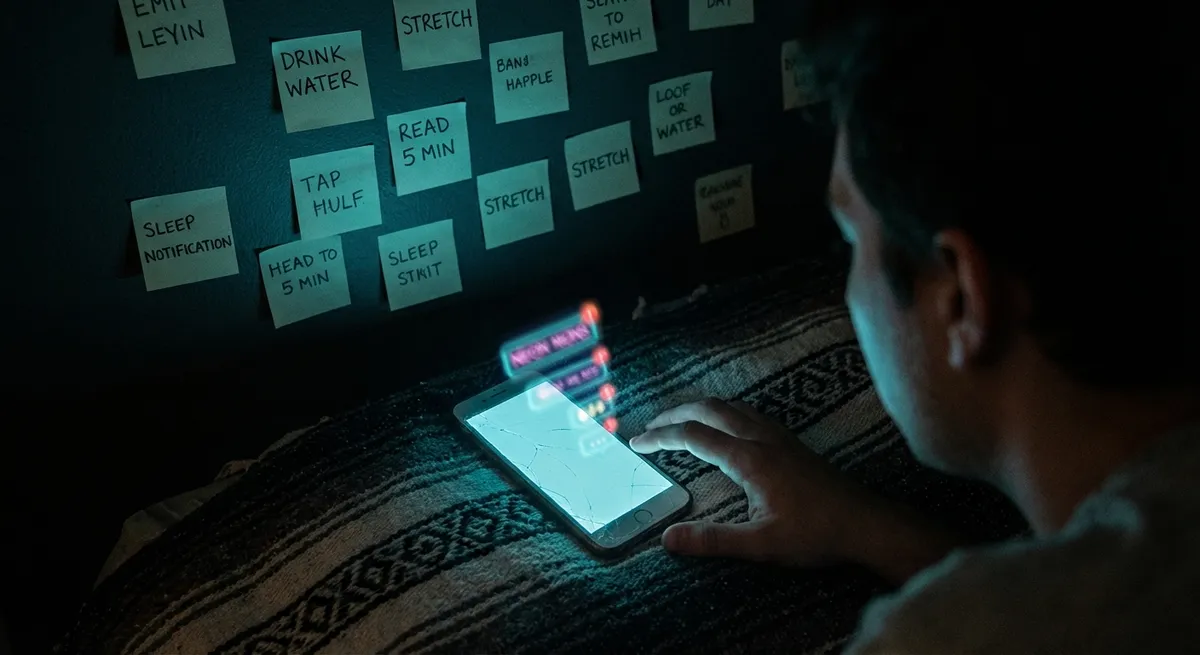
If you’re a tech person, you’ve probably hit that “my phone is cluttered but I also love all my apps” dilemma. You install something to “try it later,” forget it exists, then wonder why your battery dies at 4 p.m. The twist: small changes in how you pick, group, and use apps can quietly reshape your day way more than a big OS update.
Let’s dig into how apps actually shape your behavior, and some sneaky, nerdy details that make everyday use way more interesting than it looks.
1. Your Home Screen Is Basically a Mind-Control Interface
Okay, dramatic, but not wrong.
The apps you put in your dock or top row are the ones you’ve trained your brain to open on autopilot. That means your home screen layout is less about “what’s convenient” and more about “what future-you will mindlessly tap 30 times a day.”
Tech enthusiasts can have fun with that:
- Put “builder” apps (notes, tasks, calendar, reading) where your socials usually go.
- Move attention-sink apps (scrolling, shopping, endless games) one screen over or into folders.
- Use widgets to surface only useful stuff: next calendar event, current to-do, sleep or focus stats.
- Try a monochrome wallpaper and simple icons – it sounds silly, but reducing visual noise really does reduce “just one more tap” moments.
There’s actual research here: phone and app layouts tap into your muscle memory and reward loops. You’re not just rearranging icons; you’re editing the default script your brain runs every time you unlock your phone.
2. Apps Are Quietly Arguing Over Your Notifications
Most people think of notifications as simple “alerts.” Under the hood, they’re more like a constant negotiation over your attention.
A few things power users notice once they start paying attention:
- Apps are tuned to send “engagement” notifications, not just important ones. A like, a “friend you may know,” a “flash sale,” a “you haven’t opened this app in a while” nudge.
- Some apps batch notifications intelligently (like email clients or focus apps) to reduce noise. Others spray and pray.
- On both iOS and Android, you can get pretty granular: category-level notification toggles, silent alerts, summaries, and per-app priority.
If you treat notification settings like a one-time chore, you’ll get spammed forever. But spending 15 minutes tuning them turns your phone from “slot machine in your pocket” into something closer to a tool.
A good starting rule:
- Only people get to buzz you in real time (calls, messages, maybe work tools).
- Everything else either gets silenced, delivered in a scheduled summary, or turned off completely.
You’ll immediately notice which apps were pretending to be urgent when they really weren’t.
3. Your “Free” Apps Are Probably Charging You in Data
You already know “if it’s free, you’re the product,” but at the app level, this gets surprisingly detailed.
Many apps don’t just collect obvious stuff like your email or username; they can also gather:
- Device info (model, OS, battery level, unique identifiers)
- Location (precise or approximate)
- Usage patterns (how often you open, what you tap, how long you stay)
- Sometimes clipboard access, nearby devices, or other subtle signals
The fun part for tech enthusiasts is that modern OSes are finally giving you semi-usable visibility and control:
- iOS has App Privacy Reports and labels in the App Store that show what an app claims to track.
- Android has a Privacy Dashboard that logs which apps hit your camera, mic, or location and when.
- Both platforms now display “just used” indicators when an app accesses camera or mic.
Next-level move: install a privacy-focused DNS or VPN-style blocker that cuts off known tracking domains for all your apps at the network level. You don’t have to go full tinfoil hat to appreciate how wild it feels to see how many requests get blocked from apps that “just show recipes” or “just show weather.”
4. Offline-First Apps Are Way More Powerful Than They Look
We live in a streaming world, but some of the best-designed apps are the ones that stay useful when your signal doesn’t.
A lot of popular apps quietly support offline modes or “sync later” behavior:
- Note and document apps that edit offline, then sync when you’re back online
- Mapping and navigation apps that let you download entire city maps in advance
- Podcast and music apps with smart download queues for when you’re on Wi‑Fi
- Password managers that keep your vault available even without a signal
Offline-first design isn’t just about bad Wi‑Fi. It also affects:
- Speed (local data is instant compared to cloud fetches)
- Battery (constant network calls drain faster than local reads)
- Reliability (no “spinning loader of doom” when you’re on a train/tunnel/plane)
If you’re the type of person who loves tinkering, try deliberately building an “offline kit” on your phone: one app for maps, one for notes, one for reference docs/books, one for passwords, one for media. Flip on airplane mode for a bit and see how capable your setup actually is.
It’s a nice reminder that your phone is still a powerful pocket computer even when it’s not glued to the internet.
5. The Most Interesting Apps Are Often Built Around One Really Good Constraint
Some of the coolest app experiences aren’t the ones trying to be “everything hubs,” but the ones with a single weird or strict rule that makes them feel different.
A few patterns to watch for:
- Time-boxed apps
Apps that limit how long something lives (temporary notes, expiring links, limited-time chats) push you to focus on the now instead of hoarding everything forever.
- One-input apps
Tools that only accept voice, or only accept photos, or only accept super-short text often feel surprisingly liberating. The constraint kills decision fatigue.
- Single-purpose automation
Instead of monstrous “do anything” workflow apps, there are small tools that solve one niche pain point really well: auto-renaming files, cleaning screenshots, clipping text across devices, etc.
- “Just-in-time” apps
Apps that appear exactly when you need them (lock screen widgets, context-aware suggestions, app shortcuts triggered by NFC tags or QR codes) feel almost invisible until they’re exactly what you want.
For enthusiasts, these constraints are fun to experiment with. Instead of hunting for the “ultimate app,” it’s often more satisfying to combine a handful of sharply-focused tools. You get a setup that feels custom, even if you built it out of off-the-shelf apps.
Conclusion
Underneath all the shiny marketing, app stores are basically giant collections of tiny behavior hacks. Your home screen layout shapes your habits. Notifications negotiate for your attention. “Free” apps charge you in data. Offline-first design saves you when the network fails. And some of the most interesting apps do one weird thing under tight constraints.
If you treat your app setup like a system you can tune—not just a pile of icons—you get something way more fun: a phone that behaves less like a distraction machine and more like a toolkit you actually enjoy using.
Sources
- [Apple – Use notifications on your iPhone or iPad](https://support.apple.com/en-us/HT201925) - Official guide to customizing notification styles and behavior on iOS
- [Google – Manage your Android device’s location settings](https://support.google.com/accounts/answer/3467281) - Explains how apps can use location data and how to control it
- [Apple – Privacy Nutrition Labels](https://developer.apple.com/app-store/app-privacy-details/) - Details how app privacy labels work and what data apps may collect
- [Android – Privacy Dashboard](https://support.google.com/android/answer/10672337) - Overview of Android’s Privacy Dashboard and app permission visibility
- [Nielsen Norman Group – The Psychology of Notifications](https://www.nngroup.com/articles/mobile-notifications/) - UX research on how notifications influence user behavior and attention
Key Takeaway
The most important thing to remember from this article is that this information can change how you think about Apps.



