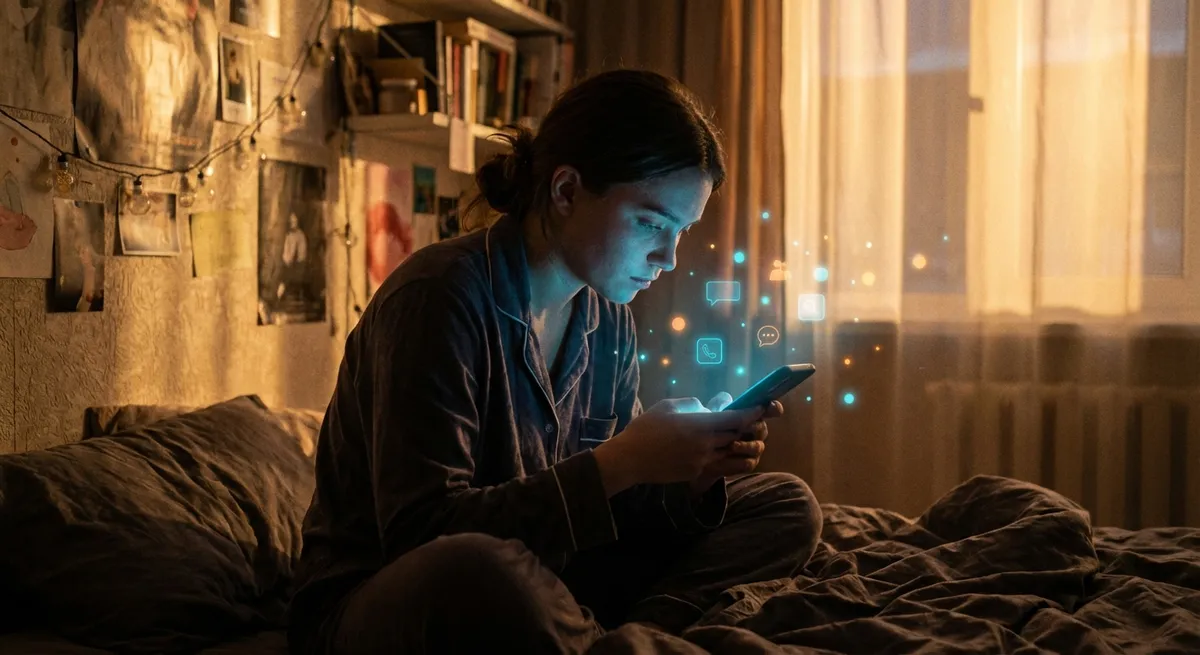
If you look at your home screen and feel slightly judged, you’re not alone. Modern apps aren’t just tools anymore; they’re tiny ecosystems engineered around your habits, attention span, and even your moods. The wild part? Some of the most interesting stuff is happening in the smallest, quietest features—the ones you barely notice but use every day.
Let’s dig into some of the sneaky, fascinating ways apps shape how we tap, scroll, and live.
1. Your Apps Are Quietly Learning Your Routine
Most people know apps “collect data,” but what’s actually useful to them isn’t your name or favorite color—it’s your routine.
Open your music app at 7:30 a.m. on weekdays? It’ll start surfacing “Morning Mix” playlists at that time, without you ever asking. Food delivery app notices you order on Fridays? That “Friday Night Deals” banner is suddenly right there.
Apps learn patterns like:
- When you usually open them
- Where you tend to use them (home, commute, work)
- What you typically do first (scroll, search, play, buy)
Over time, this powers recommendations, shortcuts, and “Because you liked…” suggestions. You get a smoother experience; the app gets more of your time.
There’s a balance here: useful personalization vs. feeling like you’re being watched. The better apps are slowly giving you more control over this—like toggles to limit tracking, “pause history” modes, or privacy dashboards where you can literally see what’s being logged and turn it off.
2. Dark Mode, Widgets, and the Subtle Psychology of “Feels Nice”
On paper, dark mode is about eye strain and battery life. In reality? It’s also about vibes.
Design choices in apps—fonts, colors, animations, spacing—sound cosmetic, but they heavily influence whether you keep using something:
- Softer animations make an app feel calm and premium
- Bright colors and snappy motion make it feel playful and fast
- Widgets and lock-screen elements make an app feel “always there” without you opening it
Weirdly, those little bounce effects or subtle fades do something important: they tell your brain “this is polished and trustworthy.” If something looks clunky or inconsistent, you’ll subconsciously assume it’s buggy or sketchy, even if the code underneath is rock-solid.
Tech enthusiasts often talk about features and specs, but the reason one app “sticks” and a competitor doesn’t is usually UX feel: Does it respect your time? Does it feel smooth on a bad connection? Does it look stable when you’re juggling a podcast, messages, and maps at the same time?
The aesthetic choices aren’t just branding—they’re behavior nudges.
3. Offline Modes Are the Underrated Superpower
The internet is everywhere… right up until you walk into a subway tunnel or hit that oddly cursed dead zone on your commute.
Good apps quietly prepare for that worst-case scenario. They download the right chunks of content ahead of time—maps, articles, playlists—so when your connection dies, the experience doesn’t.
Some underrated places where offline mode changes everything:
- Navigation: Maps caching entire areas so GPS still works when data doesn’t
- Language/translate apps: Offline packs that keep you functional abroad without roaming fees
- Note and document apps: Local copies syncing later instead of refusing to open
- Streaming apps: Downloads that auto-refresh, so you always have “something to watch”
From a user’s point of view, this just feels like “the app works when others don’t.” From a tech perspective, it’s a very deliberate decision: spend extra engineering time now so users don’t rage-quit during a weak signal.
If you’re a power user, it’s worth diving into your settings and toggling on every “offline,” “download,” or “sync over Wi‑Fi only” option you can find. It’s one of the easiest ways to make your favorite apps feel like they have your back instead of just your bandwidth.
4. Tiny Automations Are Turning Apps Into Your Personal Assistants
You don’t need full-blown AI agents to feel like your phone is doing things for you. A lot of the magic is coming from tiny automations quietly built into apps and the operating systems they live on.
Some examples you probably already use without thinking:
- Calendar apps that auto-add events from emails
- Ride-sharing apps suggesting saved locations like “Home” or “Work”
- Photo apps auto-grouping trips, pets, people, and places
- Banking apps auto-categorizing your spending into food, travel, subscriptions
Put together, these micro-automations mean you type less, search less, and tap fewer buttons. Instead of building huge, complicated features, many apps are going small and smart—adding tiny, precise time-savers that are almost invisible unless you stop and notice.
If you’re into tweaking your setup, this is a fun playground: shortcut builders, notification rules, automation triggers, and “if this then that” style tools are getting easier to use. So the same logic apps already use on you? You can start using it for you.
5. Subscriptions, Free Tiers, and the Weird Economics Behind Your Favorite Apps
A lot of apps you rely on daily are in a constant tug-of-war between giving you value and staying alive financially.
Some common strategies:
- Freemium: Core features free, power features behind a paid tier
- Ad-supported: Free to use, but your attention is the product
- One-time purchase: Rare these days, but still loved by many users
- Hybrid: Free basics, optional subscription, plus extras like cloud sync or AI features
For tech enthusiasts, this matters because it predicts how an app will behave over time. A free app that suddenly shifts to “Subscribe or lose access” isn’t a random move—it’s usually the inevitable result of server costs, maintenance, and investor expectations.
You can often spot what’s coming by watching:
- How aggressively an app pushes you to create an account
- Whether features slowly get locked behind “Pro” labels
- New “AI” features added as justification for higher pricing
It’s easy to dunk on subscriptions, but there’s a reality check here: cloud sync, cross-device support, and constant updates aren’t free to run. The apps most people love—fast, secure, synced, regularly updated—almost always need some kind of sustainable business model behind them.
Knowing that helps you choose where you’re okay investing long-term—and when to jump ship early.
Conclusion
Apps used to be simple icons that did one thing. Now they’re more like living systems tuned to your routines, your screen, your signal strength, and your willingness to pay.
The small stuff—how an app looks in low light, how it behaves offline, how it nudges you with smart defaults—adds up to whether it becomes part of your daily life or gets buried in a folder and forgotten.
If you’re a tech enthusiast, it’s worth paying attention not just to what an app does, but how it treats your time, your data, and your attention. That’s where the real personality of modern software lives—and where the most interesting changes are happening.
Sources
- Apple – Human Interface Guidelines – Official design guidance showing how visual and interaction details shape app experiences
- Google – Material Design – Google’s design system explaining motion, color, and layout choices used in many modern Android and web apps
- FTC – Mobile Privacy Disclosures – U.S. Federal Trade Commission report on how apps collect and handle user data
- Pew Research Center – Mobile Fact Sheet – Data and trends on how people use mobile devices and apps
- Nielsen Norman Group – UX Research Articles – Research-backed insights into mobile app usability, design patterns, and user behavior
Key Takeaway
The most important thing to remember from this article is that this information can change how you think about Apps.



