If you’ve ever yelled “I swear I shot first!” at your screen, this one’s for you. Behind every clutch win, whiffed headshot, and “laggy” death cam is a hidden world of timing, data, and tiny delays that actually decide who comes out on top.
Let’s pull back the curtain on the tech side of gaming performance—not just frames per second, but the invisible milliseconds that make you feel cracked… or cursed.
The Invisible Enemy: Input Lag Is Your Real Final Boss
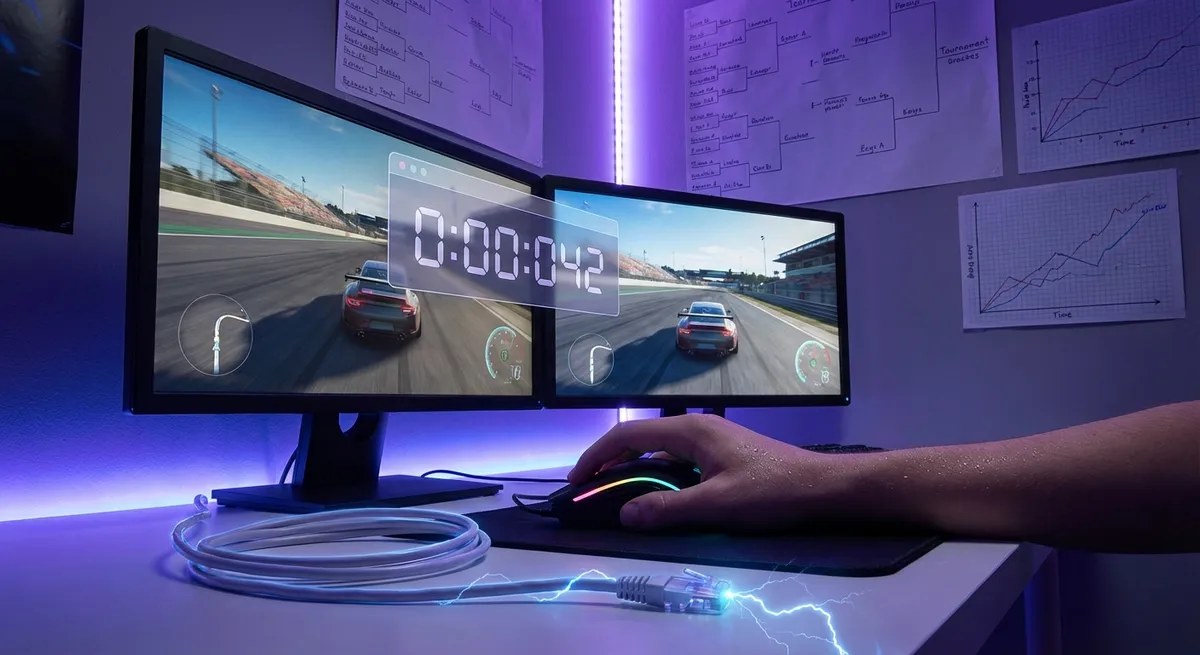
When you press a button, a whole chain reaction fires off before anything happens on screen. The delay between your input and the result you see is called input lag—and it’s way more important than most people realize.
Your controller or mouse sends a signal, your PC/console processes it, the game engine updates the world, your graphics card renders the frame, and your display finally shows it. Every step adds a few milliseconds. Individually they’re tiny; together they can turn a sharp, responsive game into a sluggish mess.
Why this matters:
- Competitive players obsess over shaving input lag because even 10–20 ms can change how a game feels.
- TV “Game Mode” isn’t marketing fluff—it disables heavy image processing to reduce delay.
- Higher refresh rate monitors (120Hz, 144Hz, 240Hz+) don’t just look smoother; they can show your action sooner.
- Wireless gear has gotten so good that some gaming mice and controllers now rival or beat older wired hardware on latency.
If a game ever feels “off” even when your FPS counter looks good, input lag might be the real culprit—not your aim.
Ping, Netcode, and Why You Get Hit Behind Corners
Online, your opponent isn’t just another player—they’re another timeline. Your PC and the game server are constantly arguing about what “just happened,” and that argument is shaped by ping and netcode.
Ping (latency) is how long it takes your data to reach the server and come back. Netcode is how the game deals with that delay. Because nobody has zero ping, games use tricks to keep things feeling fair:
- Client-side prediction: The game guesses what’s about to happen so movement feels smooth.
- Lag compensation: The server rewinds time slightly to check where someone was when they fired.
- Hit registration: The logic that decides if that shot was a hit or a whiff.
That’s why:
- You sometimes get “peekers advantage”—the person swinging the corner often sees you before you see them.
- You can die behind cover on your screen, but on the server’s timeline you were still visible for a split second.
- Different games feel “fair” or “scuffed” even at the exact same ping because of how they designed their netcode.
So no, it’s not always in your head when one shooter feels like laser tag and another feels like underwater dodgeball.
Frame Rate Isn’t Just About Pretty Graphics
“Can your rig run it on ultra?” is fun to flex, but for actual gameplay, frame rate and frame timing are the real game-changers.
A 60 FPS game is rendering 60 images every second. A 144 FPS game does 144. That’s more chances per second to update your position, aim, and inputs. But the wild part is this: even if the average FPS is high, inconsistent timing (micro-stutters) can make it feel awful.
Why tech enthusiasts should care:
- Higher FPS can reduce perceived input delay, because actions show up sooner.
- Stable 90 FPS usually feels better than 150 FPS that spikes between 80 and 200.
- Some games tie their physics, animations, or mouse feel to frame timing—bad optimization can literally warp how the game responds.
- VR is brutally sensitive to this; dropping frames can cause motion sickness, not just jank.
This is also why things like NVIDIA Reflex, AMD Anti-Lag, and in-game “Low Latency” options exist—they’re not magic, but they do cut down on the path between click and on-screen response.
Controllers, Mice, and the Myth of “Just Preference”
You’ve probably heard “keyboard vs controller is just preference.” That’s… not entirely true. Under the hood, these input devices behave very differently, and modern games do a ton of work to balance them.
Some fun realities:
- Aim assist: On controllers, games often add a little stickiness or slowdown when your crosshair is near a target so tiny thumbstick movements feel viable.
- Aim smoothing: Raw stick input is jittery; games smooth it out, which can add a hint of latency but feels better.
- Mouse input: High DPI mice and raw input give ultra-precise control with minimal filtering—but expose every tiny hand shake.
- Gyro aiming: On Switch, PlayStation, and some PC setups, motion controls can be absurdly accurate once you’re used to them (many competitive players in Splatoon and Fortnite swear by it).
The interesting twist: a lot of aim assist tech is trying to emulate the precision of a good mouse, while mouse aim is trying to emulate the smoothness of a perfect analog stick. Different tools, same goal—make your human hands look less human.
Your Brain Is Basically Running Custom Anti-Lag Software
The last optimization layer in gaming isn’t in your CPU, GPU, or display—it’s in your head.
Your brain is a prediction engine. It constantly guesses what will happen next and fills in gaps. Games quietly lean on this:
- Animation blending and motion blur trick your brain into perceiving smooth movement at lower frame rates.
- Sound design (footsteps, reload clicks, damage sounds) helps your brain react before you visually process what’s going on.
- Even HUD design (where your minimap sits, how hit markers look) is tuned for “at a glance” recognition.
Over time, you adapt to your setup’s specific latency. That’s why your own PC feels “right,” and your friend’s 60Hz TV feels like it’s underwater, even if the raw performance isn’t that different.
The wild part? When you upgrade—faster monitor, better mouse, lower ping—it can feel wrong at first. Your brain has to “desync” from your old delays and relearn the new timing. It’s not just hardware that needs calibration; it’s you.
Conclusion
Underneath every close match and clutch highlight is a quiet war of milliseconds, prediction, and design tricks. Input lag, ping, netcode, frame timing, aim assist, and even your own brain are constantly negotiating what “just happened” on screen.
You don’t need an engineering degree to feel the difference—but knowing what’s going on behind the scenes makes it a lot easier to tune your setup, pick the right settings, and understand why some games feel snappy while others feel like you’re playing through soup.
Next time you land that perfect flick or get deleted around a corner, remember: it wasn’t just you and the other player. It was your hardware, your network, the game’s code—and a few dozen milliseconds quietly choosing the winner.
Sources
- [NVIDIA: System Latency in Competitive Games](https://www.nvidia.com/en-us/geforce/guides/system-latency-optimization-guide/) - Deep dive into input lag, system latency, and how different components affect responsiveness
- [Battle(non)sense: “Netcode 101” – How Online Games Work](https://www.youtube.com/watch?v=5C5FOW1l8JQ) - Widely cited technical but accessible breakdown of ping, lag compensation, and hit registration
- [Valve Developer Community – Lag Compensation](https://developer.valvesoftware.com/wiki/Lag_compensation) - Official explanation of how Source engine games rewind time to keep online play fair
- [Microsoft – Variable Refresh Rate and Gaming](https://support.microsoft.com/en-us/windows/variable-refresh-rate-and-gaming-939e7d77-6ad4-45c5-92a1-bd8f3943c6df) - Overview of how refresh rate tech impacts smoothness and perceived latency
- [Harvard University – The Neural Bases of Reaction Time](https://sitn.hms.harvard.edu/flash/2018/brain-decides-fast/) - Explains how the brain processes sensory input and reaction, relevant to understanding response time in gaming
Key Takeaway
The most important thing to remember from this article is that this information can change how you think about Gaming.