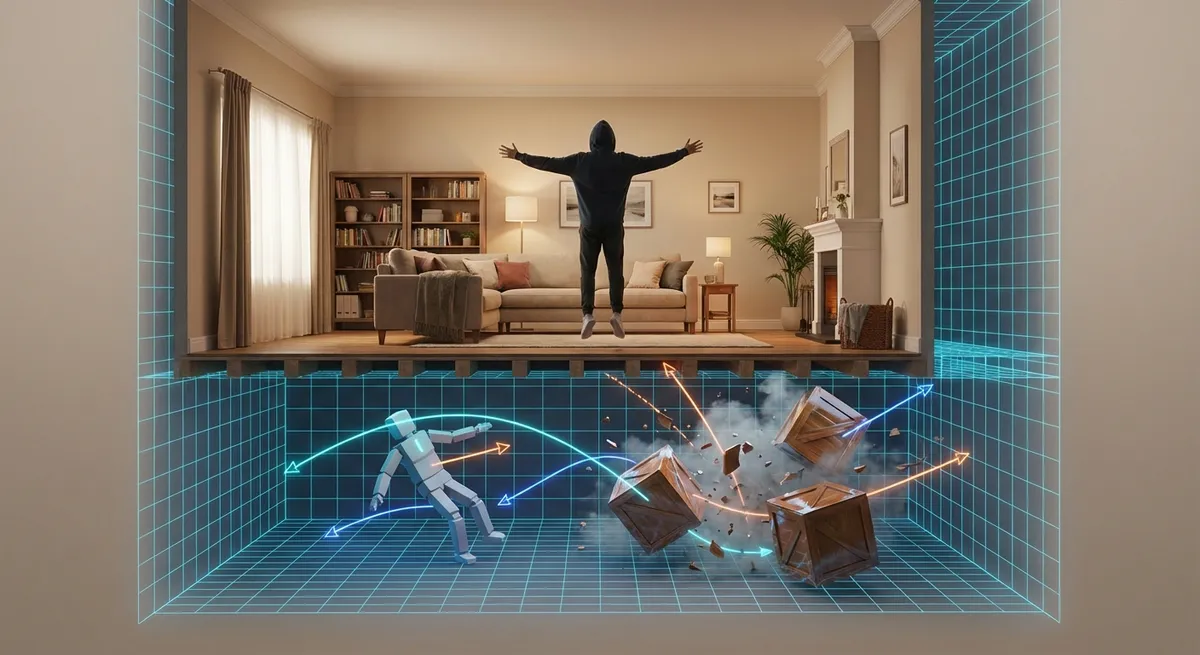
You’ve probably spent hours dodging explosions, drifting around corners, or yeeting crates off cliffs in games without thinking twice about why any of it feels right. That “feels right” part? That’s usually a physics engine quietly doing a ton of math so your game doesn’t feel like a weird fever dream.
Let’s pull back the curtain on how games fake the laws of the universe—just enough to keep things fun.
1. Game Physics Isn’t Real Physics (On Purpose)
If games used true, real-world physics everywhere, most of them would be unplayable—and honestly, kind of boring.
Game physics is usually a simplified, slightly exaggerated version of reality. Developers tweak gravity, friction, and momentum to make jumping, sliding, and crashing feel good rather than be accurate.
- Characters in platformers often have lower gravity and more midair control than a real human ever could.
- Racing games may exaggerate tire grip or drifting so you can pull off wild turns without instantly spinning out.
- Explosions in action games tend to launch objects way farther than real-world blasts would, because big chaos = big fun.
Under the hood, the engine is still using ideas from Newton (force, acceleration, mass), but it’s more “Hollywood physics” than “engineering simulation.” It’s a tight balance: too realistic feels sluggish and unforgiving, too fake feels floaty and disconnected.
2. Ragdoll Chaos Is Actually Carefully Controlled
Those floppy character collapses when someone gets knocked out or falls off a ledge? That’s called ragdoll physics, and it looks wild—but it’s anything but random.
A ragdoll is basically a bunch of connected rigid bodies (think invisible bones) with rules on how they can bend and twist. The physics engine then:
- Applies gravity and momentum to each “bone”
- Enforces joint limits so limbs don’t bend like noodles
- Prevents the body from clipping through walls or floors as much as possible
- Sometimes blends with pre-made animations, so it looks less like a sack of potatoes and more like a person losing balance
In many modern games, what you see is a hybrid: a scripted animation plays, then the ragdoll takes over when things go off the rails—like getting hit by a car or falling down stairs. That’s why enemies don’t always collapse the exact same way every time, but still look more or less believable.
Ragdoll tech is also where a lot of weird clips and glitch montages come from. When the math fails, you get: “Why did that guy just launch into the sky?”
3. Collision Detection Is a Giant Invisible Bubble Party
Any time you don’t fall through the floor, thank collision detection.
Games don’t actually track every pixel of your character or your car. Instead, they wrap everything in invisible shapes called colliders—spheres, boxes, capsules, or more complex meshes—that define where things can and can’t go.
Here’s what’s happening when you run into a wall:
- The engine checks if your collider overlaps the wall’s collider.
- If they overlap, it quickly calculates the smallest possible push needed to separate you.
- It updates your position so you slide along the wall instead of phasing through it.
To keep things fast enough for real-time play, engines use clever tricks:
- Broad-phase checks: Rough, simple tests using big bounding boxes to see what might be colliding.
- Narrow-phase checks: More precise, detailed tests only on objects that passed the broad check.
- Layers: Some things just never collide with others (e.g., UI elements, background props).
This is also why weird edge cases exist—like getting stuck in a door frame. The game is just frantically trying to resolve overlapping shapes and sometimes… loses the plot.
4. Destruction Systems Are Mini Physics Labs
Blowing things up in games has gone from “object disappears” to “entire building crumbles into pieces that bounce off cars and roll down hills.” That kind of destruction is powered by a mix of physics and smart cheating.
When a structure is “breakable,” the game might:
- Predefine fracture points and chunks (walls already sliced into invisible pieces).
- Wait for a strong enough force (like an explosion or crash).
- Swap the intact version of the object for a broken, physics-enabled version.
- Let the physics engine take over: each chunk becomes its own object with weight, momentum, and collisions.
More advanced systems calculate how stress spreads through materials—metal bends, glass shatters, stone crumbles—but full-on realism is expensive. So games often fake it:
- Only nearby pieces actually simulate physics; background debris is just an animation.
- Tiny particles might be just visual effects with no collision at all.
- Objects may “settle” quickly or freeze in place to save processing power.
But when it works well, you get those magical moments where a grenade not only blows a hole in a wall but also sends chunks skittering realistically across the floor. Your brain goes: “Yeah, that’s what would happen,” and the illusion holds.
5. Physics Has a Huge Impact on Game Feel (Even When You Don’t Notice)
You might think graphics or story are the main things that make a game feel modern, but physics is a massive part of that “this feels next-gen” sensation.
Some subtle things physics affects:
- Weight and responsiveness: How long you stay in the air, how fast you accelerate, how quickly you stop. Tiny tweaks here can make a character feel clunky or buttery smooth.
- Environmental immersion: Objects that react when you bump into them—chairs sliding, bottles tipping, grass swaying—make worlds feel alive instead of like painted backdrops.
- Weapon feedback: Recoil, bullet impacts, debris flying—physics sells the force behind your actions.
- Movement quirks: Sliding down slopes, stumbling off ledges, slightly uneven terrain—all controlled by physics rules.
Developers often spend a ridiculous amount of time tuning numbers like gravity strength, jump height, and drag so “just walking around” feels satisfying. When you love how a game handles, that’s usually thoughtful physics design doing heavy lifting in the background.
Conclusion
Every jump, crash, collapse, and explosion you see in games is powered by a quiet army of equations pretending to be the laws of nature. It’s not real physics, and it’s not trying to be—it’s tailored, tuned, and sometimes wildly exaggerated for the sake of fun.
Next time a crate tumbles just right down a staircase or an enemy’s fall makes you laugh, remember: that moment was handcrafted out of math so precise you never had to think about it.
Sources
- [NVIDIA: Introduction to Game Physics](https://developer.nvidia.com/gpugems/gpugems/part-i-natural-effects/chapter-5-introduction-game-physics) - Overview of how physics is integrated into modern game engines
- [Unity Manual – Physics Overview](https://docs.unity3d.com/Manual/PhysicsSection.html) - Official documentation explaining colliders, rigidbodies, and common physics concepts in games
- [Epic Games: Physics in Unreal Engine](https://docs.unrealengine.com/5.0/en-US/physics-in-unreal-engine/) - Explains how Unreal Engine handles collisions, rigid bodies, and ragdolls
- [Gamasutra (Game Developer): Ragdoll Physics Article](https://www.gamedeveloper.com/programming/the-making-of-ragdoll-physics) - Developer-focused breakdown of how ragdoll systems are built and tuned
- [MIT OpenCourseWare – Game Development Lecture Notes](https://ocw.mit.edu/courses/cms-611j-creating-video-games-fall-2014/pages/lecture-notes/) - Includes discussions on game feel and the role of physics in interactive design
Key Takeaway
The most important thing to remember from this article is that this information can change how you think about Gaming.