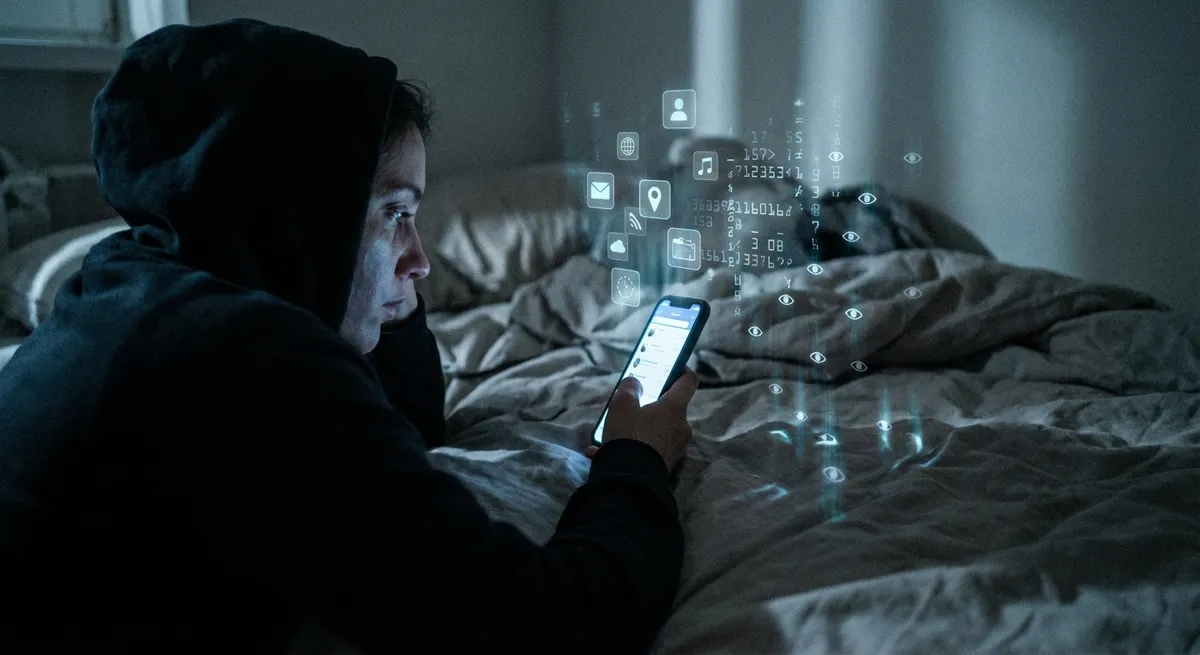
If you think you’re just “using apps,” you’re missing half the story. Your apps are quietly learning you—how you swipe, when you doomscroll, what you ignore, and what makes you tap in 0.2 seconds flat. It sounds creepy, but a lot of it is also what makes apps feel so smooth, smart, and weirdly good at guessing what you want.
Let’s unpack some of the behind-the-scenes tricks modern apps use to feel almost psychic—without drowning in jargon.
Your Tap Speed Is a Personality Test (Sort Of)
Whether you’re a calm, deliberate tapper or a “thumbs moving at 200 BPM” person, your apps notice. No, they’re not giving you a personality quiz—but your tap patterns still matter.
Many apps quietly track things like how fast you tap, how long you press, and whether you prefer swiping or hammering buttons. That’s not to psychoanalyze you; it’s to adapt the interface. If lots of people keep missing a button, designers may make it bigger. If users bail from a screen in under a second, that layout might get reworked.
Over time, this sort of data is what turns clunky early versions into “it just feels right” experiences. It’s the reason your banking app doesn’t feel like filing taxes anymore and why some apps seem to know the exact right moment to show you a shortcut. The catch: the same data that improves usability can also be used to push you toward more time in the app or more taps on “Buy Now.”
Your “Offline” Moments Are App Gold
You know those times when you’re in airplane mode, on the subway, or in a random dead zone? Your apps don’t see that as downtime—they see it as a design challenge.
A lot of modern apps quietly plan around your bad connection. They pre-download content before you lose signal (think: songs, videos, key emails, maps), then sync everything back up the second you’re online again. Streaming apps cache the next few seconds or minutes so your video doesn’t instantly freeze if your signal hiccups. Note apps store everything locally before sending it to the cloud.
This is why some apps feel “instant” even in places where the internet feels like it’s powered by a hamster on a wheel. For you, it’s just smooth scrolling. Under the hood, it’s a constant guessing game: “What will you probably need next, and how do we get it to your phone before you ask?”
The Colors and Fonts Are Basically Psychological Nudges
The shade of blue on that “Confirm” button? The smooth curve of that “Start Free Trial” pill? None of that is accidental.
Designers obsess over small details because they trigger big differences in how you interact. Softer colors and rounded corners usually feel friendly and safe. High-contrast colors shout “tap me now.” Some apps dim your background at night not just for comfort, but to keep you scrolling longer without your eyes protesting.
Even tiny shifts matter: move a button 20 pixels, change its color, or tweak the wording from “Subscribe” to “Continue,” and suddenly more people go through with it. That’s why you see so many A/B tests happening quietly in the background—some users see Version A of a screen, others see Version B, and the winner becomes the new default.
The result is an interface that feels “naturally” easy to use—but that “natural” feeling has usually been tested on thousands (or millions) of people before it hits your phone.
Notifications Are Basically Algorithmic Negotiations
Your notification tray is a battleground. Every app on your phone is competing for a tiny piece of your attention, and the smarter ones treat it like a strategy game instead of a megaphone.
Some apps watch how fast you open different types of alerts: do you jump on a message notification but ignore promo blasts? Open reminders at 9 a.m. but ignore them at night? The app can adjust. Over time, it might send fewer “meh” alerts and save its pushes for the things you actually act on.
The timing is strategic too. Many apps avoid sending you a flood of notifications at once, or they batch them to feel less annoying. Others experiment with “nudges” at moments when you’re statistically more likely to engage—like after work, during lunch, or late at night when your willpower is at 10%.
There’s a fine line here: smarter notifications can be helpful (not missing messages, deliveries, or reminders), but they can also keep you hooked. Knowing how they work gives you more power to fight back—turning off nonessential alerts turns the volume down on the attention arms race.
Your Phone Is Quietly Acting Like a Personal Sensor Hub
Your phone is packed with sensors: GPS, accelerometer, gyroscope, microphone, even ambient light detection. Apps combine these to make surprisingly useful guesses about what you’re doing—often without you thinking about it.
Navigation apps can tell if you’re walking, driving, or on a train based on your speed and movement patterns. Fitness and health apps use step counts and motion data to estimate workouts or remind you to move. Even some keyboard apps adapt based on whether you’re one-handed, lying down, or walking, because your typing accuracy shifts.
When it works well, this sensor fusion makes apps feel less like tools and more like assistants. You get suggestions that match your context—a map shows up before a trip, a music app surfaces your workout playlist at the gym, a note app pops up on your lock screen during meetings.
The flip side is privacy. Most of this data is extremely personal, which is why modern operating systems now throw permissions in your face: location, microphone, motion, Bluetooth. It’s worth actually reading those prompts and deciding which “smart” features are worth the trade.
Conclusion
Apps aren’t just rows of icons on your home screen—they’re constantly watching, adapting, and negotiating for your time and attention. Your tap speed shapes their design. Your offline gaps shape their syncing tricks. Your responses to notifications teach them how loud to shout. And the sensors in your phone quietly stitch it all together into something that feels seamless.
The more you understand these hidden behaviors, the less they feel like magic—and the more you can tweak your own settings, habits, and notification chaos to make your apps work for you, not the other way around.
Sources
- Google – Material Design Guidelines – Covers how visual design choices like color, shape, and layout influence usability and behavior in apps.
- Apple – Human Interface Guidelines – Official design principles behind iOS apps, including interaction patterns, notifications, and motion.
- Pew Research Center – Mobile Fact Sheet – Data on smartphone and app usage, giving context for how deeply apps are embedded in daily life.
- Nielsen Norman Group – Mobile UX Research – Research-backed insights on how people interact with mobile apps, including tapping behavior and interface design.
- Federal Trade Commission – Mobile Privacy and Security – Guidance on how apps collect and use user data, with a focus on transparency and privacy.
Key Takeaway
The most important thing to remember from this article is that this information can change how you think about Apps.



