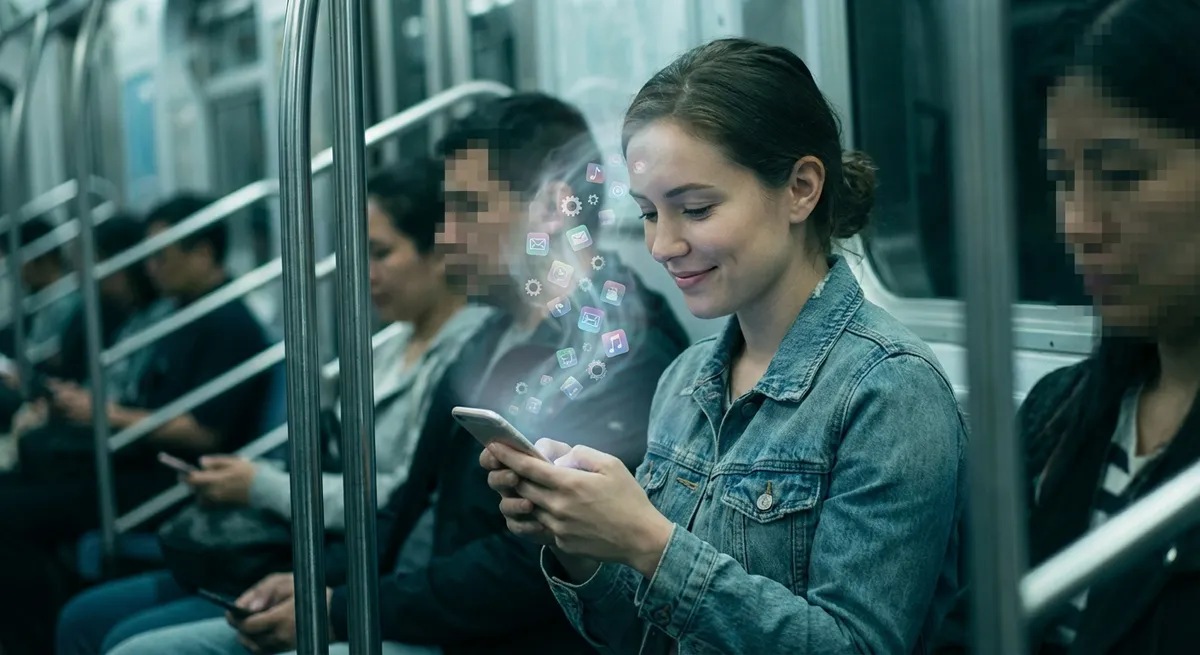
We like to think we’re “using” apps—but a lot of the time, they’re actually using us. From how we wake up to how we shop, scroll, and even relax, apps are quietly rewriting our habits in the background. Not in a “Black Mirror” way (most of the time), but in subtle, design-driven ways that tech nerds and casual users both should probably pay attention to.
Let’s dig into how modern apps are reshaping behavior, attention, and even memory—without needing to dive deep into hardcore technical jargon.
1. Your Home Screen Is Basically a Personalized Attention Trap
Open your phone and look at your home screen for a second. That grid of icons isn’t just “stuff you use”—it’s a map of what wins your attention, over and over again.
App makers know this. That’s why so many apps:
- Use bright colors for notification dots
- Put important actions on the bottom of the screen where your thumb naturally rests
- Use badges, streaks, and rewards to tempt you back, even when you didn’t plan to open them
Over time, the apps that demand your attention the most usually migrate to your front page. That’s not an accident—it’s behavioral conditioning. The more an app rewards you (messages, likes, deals, updates), the more likely you are to give it prime real estate.
This is why you can “accidentally” open Instagram or TikTok while meaning to check your calendar. Your brain isn’t consciously deciding; it’s just following the grooves worn in by repetition and clever design.
Try this experiment: move your most addictive app off your home screen for a week. You’ll catch your thumb going to the empty space where it used to be. That tiny moment of friction is proof your habits are basically running on autopilot.
2. Notifications Are Micro-Experiments on Your Mood
Notifications aren’t just reminders; they’re carefully tuned emotional nudges.
Think about it:
- A message preview from a friend = tiny dopamine hit
- A vague “Someone liked your post” notification = curiosity hook
- A streak warning (“You’re about to lose your 10-day run!”) = fear of loss
Behind the scenes, companies run constant A/B tests on wording, timing, and icon styles to see what gets you to tap. It’s basically behavioral science at scale.
Some apps have gotten more subtle over time. Instead of blasting you with pop-ups, they batch notifications, send “digest” emails, or trigger alerts only when your engagement starts to drop. It’s less noisy, but still designed around the same goal: keep you in the loop just enough that you don’t drift away.
The wild part? You can feel your mood swing based on a single ping. A work email at 10 p.m. is not the same as a meme from a friend. Your nervous system doesn’t really distinguish “helpful” vs “annoying” alerts at first—it just knows something wants your attention.
If you want to see how much this affects you, try turning off every notification except calls and direct messages for 24 hours. The silence will feel weirdly loud.
3. “Smart” Recommendations Are Training Your Taste (Not Just Reflecting It)
We like to believe recommendation algorithms are just “showing us more of what we like.” That’s only half the story.
Yes, your music app, video app, and shopping app learn your preferences over time. But they also shape them:
- They surface trends you wouldn’t have found on your own
- They repeat certain genres, creators, or styles until they feel familiar
- They can amplify specific types of content based on what’s easiest to recommend, not what’s best for you
If your feed feels like it’s “getting more extreme”—more intense opinions, louder thumbnails, faster pacing—that’s often because systems learn that intense content keeps people hooked a bit longer. It’s not always about what you love, but what you don’t scroll past.
Over time, your sense of “normal” shifts to match what the app keeps feeding you. That’s not mind control, but it is influence.
One useful trick: occasionally reset or diversify your recommendations. Search for stuff outside your usual bubble. Like media from other countries. Niche topics. Long-form content. You’re basically retraining the app—before it finishes retraining you.
4. Everyday Apps Are Outsourcing Your Memory
Remember when you actually memorized phone numbers? Directions? Birthdays?
Now we default to:
- Password managers for logins
- Maps for any route longer than “down the street”
- Cloud notes for everything from grocery lists to life ideas
- Calendar apps for birthdays, renewals, bills, and reminders
This isn’t necessarily bad. Cognitive scientists talk about “cognitive offloading”—pushing routine memory tasks into external tools so your brain has more space for deeper thinking. In theory, your brain is free to handle big-picture decisions, not “what time is that dentist appointment?”
But there’s a tradeoff: we get worse at certain mental skills we don’t practice. If your maps app vanished tomorrow, how confident would you be in your sense of direction? If your password manager disappeared, how many accounts could you actually log into?
The balance point is intentional offloading: use apps to store what doesn’t matter long-term (one-time codes, random errands) and actively remember what does (core skills, crucial info, meaningful dates). Otherwise, you quietly become fully dependent on an ecosystem you don’t control.
5. “Frictionless” Design Can Make You Spend More Than You Realize
One of the biggest shifts in modern apps is how easy it is to do things that used to be annoying:
- One-tap ordering
- Biometric payments (Face ID / fingerprint)
- Saved cards and autofill
- “Buy now, pay later” buttons baked into checkouts
All of this is billed as “convenience”—and it absolutely is. But lowering friction doesn’t just help you do what you planned; it also makes impulse decisions almost too easy.
Before: you had to find your card, type numbers, maybe rethink the purchase.
Now: your thumb twitches and you’ve just preordered something shipping three months from now.
App designers know exactly where to place big colorful “Continue” or “Confirm” buttons, how to phrase “limited time” offers, and when to surface recommendations at checkout. The line between browsing and buying gets blurred on purpose.
This isn’t about never using these features. It’s about knowing that “fast and invisible” is a design choice, not a neutral default. A simple personal rule like “no purchases after midnight” or “screenshot cart, buy tomorrow if I still care” reintroduces just enough friction to put you back in control.
Conclusion
Apps aren’t just tools sitting on your phone—they’re active forces shaping how you focus, what you remember, what you enjoy, and even how you spend.
None of this means you should ditch your phone and move to a cabin. But it does mean:
- Notice which apps win your attention the most
- Decide what you want to outsource to apps—and what you don’t
- Add a bit of intentional friction where it matters (notifications, recommendations, purchases)
The more you understand how apps are designed to pull you in, the easier it is to flip the script and make them work for you, not the other way around.
Sources
- [Nir Eyal – How to Build Habit-Forming Products](https://www.nirandfar.com/hooked/) – Explains the psychology behind habit-forming app design and user engagement loops
- [Pew Research Center – Mobile Fact Sheet](https://www.pewresearch.org/internet/fact-sheet/mobile/) – Data on smartphone and app usage trends and how deeply they’re embedded in daily life
- [BBC Future – How Apps Are Changing the Way We Think](https://www.bbc.com/future/article/20190104-how-smartphones-are-changing-our-brains) – Overview of how smartphones and apps affect memory, attention, and behavior
- [American Psychological Association – Cognitive Offloading](https://www.apa.org/monitor/2018/01/cognitive-offloading) – Research-backed look at how relying on devices changes how we use our memory and mental resources
- [Federal Trade Commission – Dark Patterns in Digital Design](https://www.ftc.gov/business-guidance/blog/2022/09/ftc-report-shows-dark-patterns-prevalent-user-interfaces) – Official review of design tactics (like frictionless flows and manipulative prompts) in apps and websites
Key Takeaway
The most important thing to remember from this article is that this information can change how you think about Apps.



