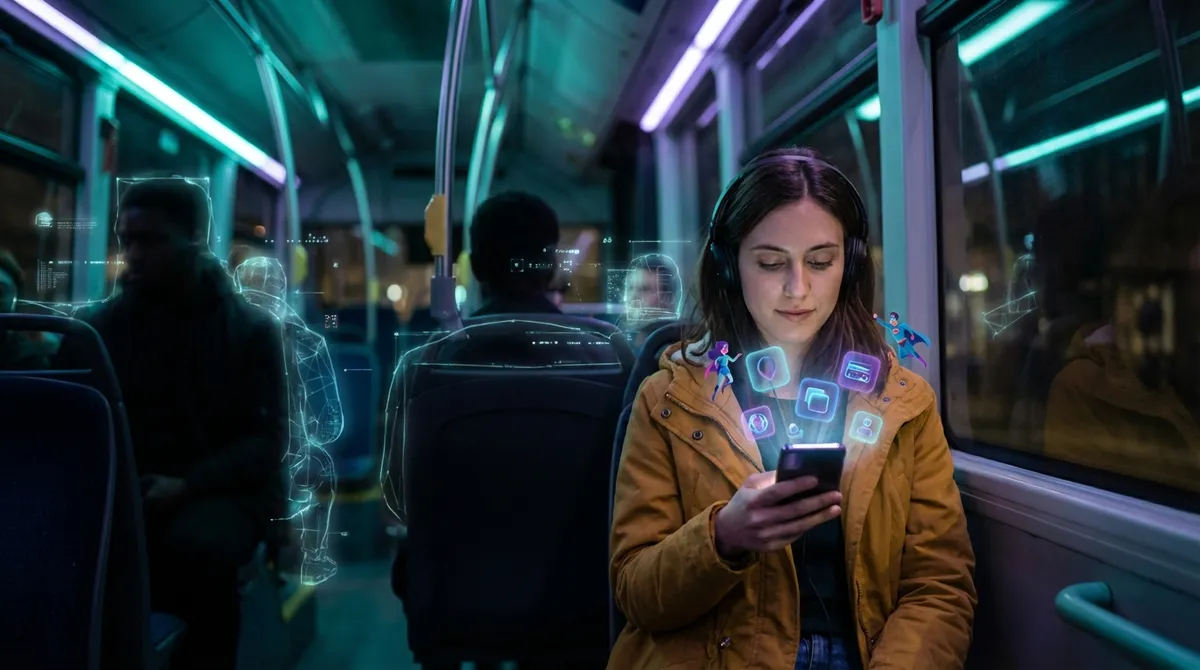
Your apps are doing way more than sending you notifications and draining your battery.
Behind all the doomscrolling and food delivery, there’s a quieter shift happening: apps are getting smarter, more context-aware, and a lot more opinionated about how you live, work, and play. And most of it slips under the radar because it’s baked into “normal” features.
Let’s unpack some of the most interesting ways apps are evolving right now—without going full sci‑fi.
1. Your Apps Are Learning To “Talk” To Each Other Without You
Remember when every app felt like its own little island? That’s breaking down fast.
Now, your note-taking app can pull in your calendar events. Your task app can auto-add stuff from your email. Your fitness app can sync with your sleep tracker, your watch, and even your smart scale.
This “app-to-app” communication is increasingly built in, not just cobbled together with third-party tools. Features like “Sign in with Google/Apple,” calendar access, health data sharing, and cloud storage connections are basically pipes between apps.
Why this is cool for tech nerds:
- It makes your phone feel more like an ecosystem, not a junk drawer of random icons.
- You can build weirdly powerful personal setups: email → task manager → automation → notifications → smart home.
- It hints at a future where your “stack” of apps functions more like a custom operating system that you assemble yourself.
The catch? More connections means more data moving around. That’s powerful and useful—but also raises real questions about where your data goes and who gets to peek at it.
2. Apps Are Quietly Becoming Your Personal Sensor Network
Your phone is packed with sensors: GPS, accelerometer, gyroscope, microphone, cameras, barometer, and more. Apps have started using them in surprisingly creative ways that go way beyond “track my steps.”
Some examples of what’s already possible:
- Apps that detect when you’re driving vs. walking and change behavior automatically
- Sleep tracking apps using just your microphone and motion sensors
- Transit apps that can tell when you’re on a train vs. bus based on motion patterns
- AR apps that map your environment and remember where objects are placed
For tech enthusiasts, this is interesting because your phone is basically becoming a portable lab. Developers no longer have to imagine what you might be doing—they can infer it pretty accurately from the data your device is constantly collecting.
The wild part: a lot of these features feel normalized now (“of course my app knows I’m running”), but under the hood, it’s a ton of signal processing and pattern recognition that would have looked like magic ten years ago.
3. Offline Mode Is Getting Smarter (And Way Less Useless)
“Works offline” used to mean “you can kind of open it and stare at old data.” That’s changing fast.
More apps are pushing real functionality to your device instead of needing constant internet. Think:
- Translation apps that can do full sentences offline once you download a language pack
- Maps that give you turn-by-turn navigation with no signal
- Note apps with full-text search that works locally
- Some AI features (like basic photo editing or transcription) running entirely on your phone
For people who travel, commute underground, or live with sketchy connections, this is a big deal. But for tech folks, the real story is that more logic is shifting to the edge—your device—rather than some distant server.
This also nudges apps toward being more privacy-friendly by design. If your phone can handle more work locally, that’s less justification for shipping every tap and swipe to the cloud.
We’re not fully there yet, but the trend is clear: “offline” is turning from a sad fallback into a legit feature.
4. App Interfaces Are Slowly Adapting To You, Not Just To Screens
We spent years optimizing apps for different screen sizes. Now the interesting shift is apps adapting to different people.
You’re already seeing small hints of this:
- Reading apps adjusting line spacing, contrast, and font weight for better readability
- Music and video apps changing recommendations based on time of day and your habits
- Some apps automatically switching between “compact” and “relaxed” layouts depending on your usage
- Accessibility settings like larger text or high-contrast modes being auto-respected by most modern apps
This is edging toward “personalized UI,” where the app isn’t just responsive to screen dimensions—it’s responsive to you.
For tech enthusiasts, this is fascinating because it blurs the line between UX design and personalization engines. Instead of one “perfect” layout, we may get subtle, evolving UIs tuned to our behavior, attention span, and preferences.
It also means one app could feel completely different in the hands of two people, even though they downloaded the exact same thing from the store.
5. Your Phone Is Slowly Turning Into A Remote Control For Everything
The old dream of “there’s an app for that” has quietly shifted into “your phone controls that.”
Cars, TVs, lights, doorbells, thermostats, speakers, security cameras, vacuums, blinds, fridges, ovens—if it plugs into a wall, chances are someone slapped an app on it.
But here’s where it gets interesting: we’re starting to see apps that don’t just control a single device—they coordinate systems.
- Smart home hubs tying together lights, locks, sensors, and energy use
- Car apps that connect navigation, charging, climate control, and service scheduling
- Wearable companion apps blending fitness, notifications, payments, and safety features
For tech people, this is basically the “universal remote” fantasy finally coming true, except instead of buttons and IR blasters, it’s APIs and cloud platforms.
The next frontier is less about “can I control this from my phone?” and more about “can these things coordinate with each other without me micromanaging?”
That’s where apps become less like remote controls and more like orchestrators of your physical environment.
Conclusion
Apps went from being tiny, single-purpose tools to becoming the main interface for how we move through digital and physical spaces.
They’re:
- Talking to each other in the background
- Using your phone’s sensors to understand context
- Getting smarter about working offline
- Quietly adapting their interfaces to your preferences
- Taking over as remote controls for… basically everything
If you’re into tech, this is a fun moment: the interesting stuff isn’t just in flashy “AI” announcements, but in all these subtle, infrastructural shifts that change how apps behave day to day.
Your home screen may look the same, but what those icons can actually do? That’s evolving fast.
Sources
- [Google Developers – Building for Offline-First Apps](https://developers.google.com/web/fundamentals/instant-and-offline/web-storage/offline-for-pwa) – Overview of techniques and patterns for making modern apps work reliably without a constant internet connection.
- [Apple – Human Interface Guidelines](https://developer.apple.com/design/human-interface-guidelines) – Official guidance on adaptive interfaces, accessibility, and designing apps that respond to different users and contexts.
- [MIT Technology Review – Your Phone Knows Whether You’re Happy, Sad, or Angry](https://www.technologyreview.com/2019/11/06/131940/your-phone-knows-whether-youre-happy-sad-or-angry/) – Explores how smartphone sensors and app data can infer user behavior and emotional state.
- [Pew Research Center – Mobile Fact Sheet](https://www.pewresearch.org/internet/fact-sheet/mobile/) – Stats and trends on smartphone ownership and app usage, helpful for understanding how central apps have become.
- [Mozilla – The Internet of Things: Privacy & Security in Everyday Devices](https://foundation.mozilla.org/en/internet-health/privacy-security/internet-of-things/) – Discusses how apps connect to and control smart devices, plus the implications for privacy and security.
Key Takeaway
The most important thing to remember from this article is that this information can change how you think about Apps.



