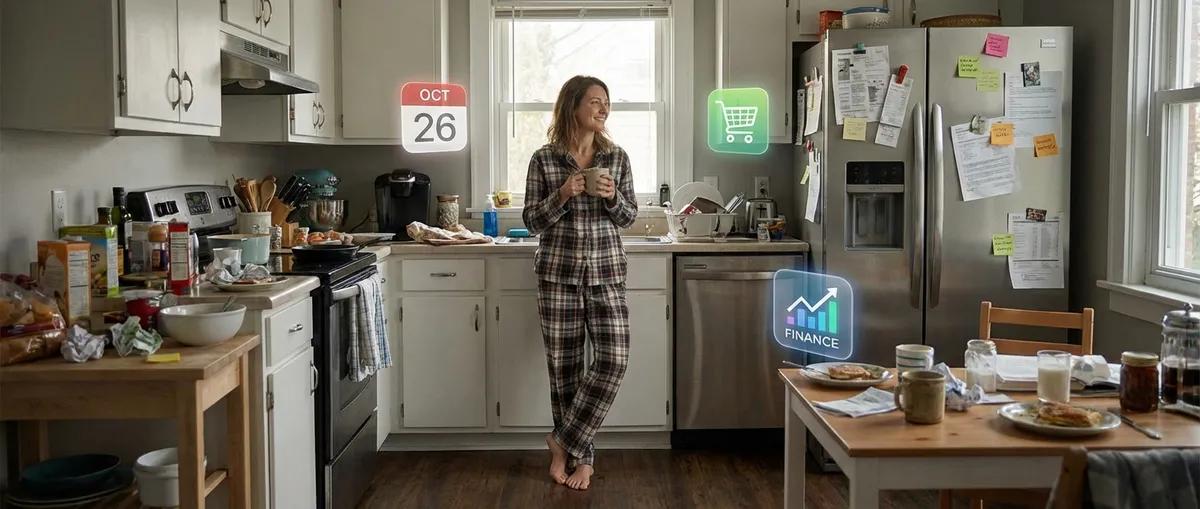
We like to think we’re in charge of our phones, but let’s be real: apps run the show. They wake us up, move our money, track our steps, feed us news, and quietly nudge our habits all day long. That sounds a bit dystopian, but here’s the twist—when you actually understand how these apps work, you can flip the script and make them work for you instead of just at you.
Let’s dig into some under‑the‑radar ways apps shape everyday life, and how tech enthusiasts can tweak, bend, and optimize them instead of sleepwalking through the defaults.
1. Your “Free” Apps Are Running a Data Economy Around You
Most people know free apps make money from ads, but the real story is how much they learn about you just by being installed.
Even if you barely open an app, it can still collect data: device info, location (if you allowed it once three years ago), how long your screen stays on, what networks you connect to, and which other apps live on your phone. Combined, this builds a scarily detailed profile—even without your name attached.
For tech‑savvy users, this isn’t just creepy; it’s a puzzle you can game:
- Use “burner apps” and accounts for things you don’t want tied to your real identity (new services, trials, or anything that demands too many permissions).
- Audit permissions: location, microphone, contacts, and photo access are gold mines for ad tech. Turn them off for apps that don’t genuinely need them.
- Leverage “privacy” as a feature: some apps now compete on data minimization and local processing. Swapping just a few “spy‑ish” apps for privacy‑focused alternatives can drastically shrink your digital shadow.
The interesting bit isn’t “apps track you”—it’s realizing you can curate a setup where apps only learn what you choose to share, without giving up all the convenience.
2. Background Automations Are the Real Superpower (Not the App Itself)
Most people think in terms of “What app should I download?” Power users think, “What can I make this app do without me touching it?”
Modern apps are basically automation engines disguised as colorful icons. Calendar apps can auto‑sort your schedule, notes apps can turn text into tasks, and smart home apps can chain together actions like: “When I leave home, turn off lights, lower thermostat, and send me a notification if a window is open.”
Some places to quietly level up:
- Shortcuts and routines: Apple Shortcuts, Android Routines, and built‑in “Automations” menus are massively underrated. A few taps and your phone starts doing boring stuff on its own.
- Trigger-based notifications: Instead of generic “you haven’t opened me in a while” alerts, set up app alerts that only fire for meaningful things—price drops, package arrivals, calendar conflicts, or when a certain person texts you.
- Cross‑app workflows: Cloud storage, email, messaging, and task apps can often talk to each other without third‑party tools. Dig into “Integrations” or “Connected apps” pages; there’s usually more there than the marketing page mentions.
Once you start thinking in triggers and actions, apps go from attention magnets to background tools that quietly clean up your mental clutter.
3. App Design Is Subtly Training What Feels “Normal” to You
Tech enthusiasts love a good interface rant—but UI design isn’t just about pretty buttons. It’s shaping your default expectations of how the digital world should behave.
Take a second to notice:
- Pull‑to‑refresh? That didn’t always exist. Now it’s muscle memory.
- Infinite scroll feeds? They’ve normalised the idea that there’s always “more” just a flick away.
- Tap‑and‑hold, swipe from edges, notification banners, floating action buttons—these patterns bleed between apps and even platforms.
The interesting part: apps don’t just follow behavior; they create it.
Once you notice these patterns, you can:
- Be more intentional about what you tolerate. If an app constantly interrupts you or buries important features behind ads, that’s a design decision, not an accident.
- Spot copy‑paste design trends. When every app adopts the same interaction, it’s worth asking: is this actually helpful, or just habit?
- Appreciate the outliers. The apps that feel “weird” at first sometimes end up pushing the whole ecosystem forward (gesture nav, minimalist note‑taking, distraction‑free reading modes).
Paying attention to design isn’t just aesthetic snobbery; it’s a way to notice how apps nudge your behavior—and decide when to push back.
4. Your Phone Is Now a Modular Lab for Niche Obsessions
We’ve moved past the era where everyone installed the same five apps. Now it’s all about hyper‑specific tools that slot into whatever niche you care about.
Whatever your rabbit hole—mechanical keyboards, retro emulation, astrophotography, home servers, cybersecurity, 3D printing—there’s usually:
- A companion app (for configuring gear, monitoring stats, or pushing updates).
- A community app (forums, Discord‑style spaces, beta groups).
- A tool app (calculators, checklists, monitoring dashboards).
For tech enthusiasts, this turns your phone into:
- A remote control for your hobbies. You can tweak settings, monitor metrics, and experiment from anywhere.
- A portable lab notebook: logging builds, benchmarks, configs, and setups on the go.
- A live feed of the niche world: firmware updates, experimental builds, and underground tools often surface in app‑adjacent communities first.
The fun part isn’t just “there’s an app for that”; it’s realizing your phone is now basically a pocket command center for whatever weirdly specific thing you’re into this month.
5. App Stores Are Quietly Shaping What Ideas Get to Exist
We talk a lot about “the algorithm” on social media, but app stores are their own kind of invisible gatekeeper.
Between recommendation carousels, search ranking, featured lists, and security rules, app stores heavily influence:
- Which apps people discover at all.
- Which business models survive (subscriptions vs. one‑time purchase vs. ads).
- Which experimental ideas get quietly killed off by policy changes.
For users who actually care about tech as an ecosystem, a few things matter here:
- Side‑loading and alternative stores (where allowed) give indie and experimental apps room to breathe, especially for niche utilities or customization tools.
- Permissions and transparency labels (like privacy “nutrition labels”) can help you choose apps that align with what you value—speed, privacy, portability, or openness.
- Open‑source and web apps are a kind of escape hatch. If an app is critical to your workflow, having a version outside the store ecosystem (like a web app or self‑hostable tool) can be a quiet form of insurance.
Underneath the pretty icons, there’s an ongoing negotiation between developers, platforms, and users. Paying attention to that makes you a more intentional participant instead of just a consumer of whatever bubbles to the top charts.
Conclusion
Apps aren’t just “things you tap to get stuff done”—they’re tiny moving pieces in a system that tracks you, teaches you habits, rewires your expectations, powers your hobbies, and shapes which ideas even show up on your radar.
For tech enthusiasts, the fun isn’t only in finding the “best” apps, but in:
- Tuning what they’re allowed to know about you
- Automating the boring parts of your day
- Noticing when design starts to feel manipulative
- Turning your phone into a control panel for your obsessions
- Watching (and occasionally resisting) how app stores shape the ecosystem
You don’t have to go full tinfoil hat or full automation wizard. But stepping back and seeing how these pieces fit together turns your app drawer from a cluttered mess into a toolkit you actually control.
Sources
- [Federal Trade Commission – How Apps Can Track You](https://consumer.ftc.gov/articles/how-apps-can-track-you) – Explains how mobile apps collect and share user data and what that means for privacy
- [Apple – Shortcuts User Guide](https://support.apple.com/guide/shortcuts/welcome/ios) – Official documentation on building automations and workflows on iOS
- [Android – Rules and Routines Help](https://support.google.com/android/answer/9457495) – Google’s guide to creating automated actions and routines on Android devices
- [Harvard Business Review – How App Store Rules Shape Innovation](https://hbr.org/2020/07/how-apple-and-googles-app-store-policies-hold-back-innovation) – Discussion of how app store policies affect developers and users
- [MIT Technology Review – The Race to Reinvent Smartphone Privacy](https://www.technologyreview.com/2021/05/07/1024692/smartphone-privacy-apple-google-data-tracking/) – Covers evolving privacy features and tracking changes in mobile ecosystems
Key Takeaway
The most important thing to remember from this article is that this information can change how you think about Apps.



