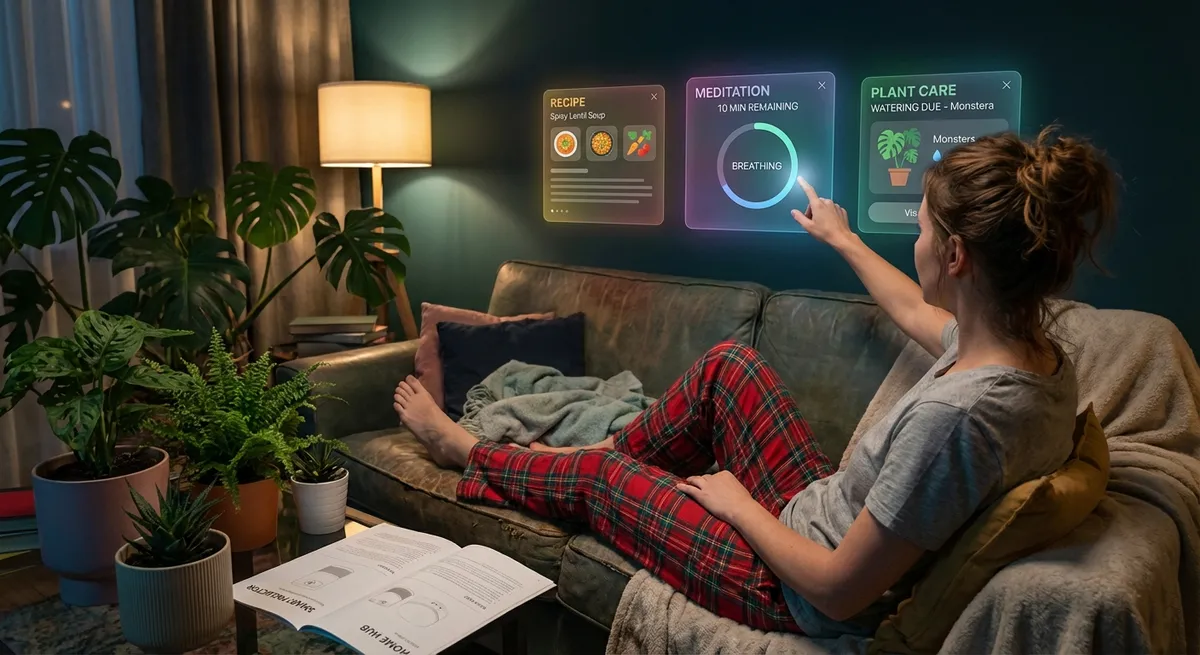
Apps used to be simple: one icon, one job. Now they’re quietly turning into Swiss Army knives with features no one asked for—but somehow can’t live without once you try them.
This isn’t about the usual “dark mode and widgets” stuff. These are the weirdly smart, slightly over-the-top features hiding in everyday apps that tech enthusiasts will appreciate way more than the average user. Let’s dig into the ones that feel almost… too clever.
When Your Notes App Starts Doing Your Homework
Notes apps used to be digital sticky pads. Now they’re borderline research assistants.
Modern note-taking apps can:
- Read text straight out of your photos and screenshots
- Auto-summarize long paragraphs or meeting notes
- Turn random bullet points into neat to-do lists or outlines
- Search inside images and PDFs for specific words
What used to be “I’ll jot this down and forget it” is turning into “I’ll dump everything here and let the app organize my life later.” This moves notes from being a passive archive to an active tool that helps you remember, plan, and create.
The fun part for tech folks: a lot of this happens on-device now, not just in the cloud. That means more privacy, faster results, and less waiting for some server halfway across the world to wake up.
Camera Apps That Are Basically Vision Enhancers
Your camera app isn’t just taking pictures anymore; it’s quietly decoding the world for you.
We’ve hit the point where camera and system-level apps can:
- Translate street signs and menus live by just pointing your camera
- Auto-recognize plants, pets, landmarks, and even types of cars
- Pull email addresses, Wi‑Fi passwords, or phone numbers straight from a photo
- Search your photo library for “that screenshot with the blue graph from last month” and actually find it
The cool layer here is that this isn’t just “better photos”—it’s turning your camera into a universal input device. Instead of typing, you point. From a tech angle, it blurs the line between the physical and digital: the world becomes searchable, copyable, and clickable.
And yes, it makes the age-old “I’ll just take a pic and deal with it later” habit way more powerful than it has any right to be.
Browsers That Double as Operating Systems
Your browser used to be “the thing you open to Google stuff.” Now it’s quietly trying to replace half your OS.
Modern browsers and browser-based apps can now:
- Run full-blown apps (games, editors, dev tools) entirely in the browser
- Sync open tabs, reading lists, and even clipboard content across devices
- Act as password vaults, ID managers, and even passkey hubs
- Sandbox websites more tightly to protect from sketchy scripts and trackers
If you’re a tech enthusiast, the biggest shift is this: the browser is no longer just the window—it’s becoming the workspace. You can spin up a coding environment, a design tool, a video editor, and a chat app all in separate tabs and never install a single “traditional” app.
The line between “web app” and “native app” is getting so thin that, for a lot of people, the browser effectively is their main platform. And that’s exactly what browser makers are quietly optimizing for.
Health Apps That Know You Better Than Your Mirror
What started as step counters and sleep trackers have quietly evolved into something much more interesting (and a little unsettling).
Today’s health and wellness apps can:
- Analyze heart rate patterns for irregular rhythms and flag potential issues
- Detect falls and prompt you (or emergency contacts) if you don’t respond
- Spot trends in sleep and activity that correlate with stress or burnout
- Pull data from multiple devices (phones, watches, rings, scales) into one timeline
From a tech perspective, the magic isn’t just the sensors—it’s the aggregation. Your phone doesn’t care that your steps came from a smartwatch and your heart data came from a chest strap; it fuses all of it into a coherent picture.
The fascinating part is where this is heading: more on-device analysis, health insights without sending data to some distant server, and smarter alerts that look at patterns over weeks instead of freaking out over one weird day.
Messaging Apps Quietly Becoming Your Digital Hub
Messaging apps started as “texts, but slightly fancier.” Now they’re turning into mini-operating systems disguised as chat windows.
Modern messaging platforms are evolving into:
- Payment tools that let you send money like you send emojis
- File-sharing hubs for documents, photos, and even full projects
- “App stores” inside chats via mini apps and bots
- Live collaboration spaces where you edit docs, make polls, or schedule events
For tech enthusiasts, this is especially interesting because it’s a UI shift: your primary interaction moves from “open app, do thing” to “type command or tap a tiny widget inside chat.” The chat becomes the command line—just with stickers and GIFs.
You can already see it in work tools (Slack, Teams, etc.), where bots and integrations handle reminders, deployments, and approvals. As more of that leaks into consumer messaging, we’ll see fewer standalone apps and more “features hiding inside conversations.”
Conclusion
Apps are no longer just “tools you open to do one job.” They’re slowly fusing together, borrowing features from each other, and turning into flexible, context-aware assistants hiding behind familiar icons.
For most people, this just feels like “my phone got smarter.” But if you like to peek under the hood, the bigger story is clear:
- The camera is becoming a universal input device
- Browsers are turning into full platforms
- Notes and chats are morphing into control centers for everything else
- Health apps are quietly building a long-term profile of you
The fun part? We’re still early. The next wave won’t be “yet another app,” but existing apps suddenly doing way more than their icon suggests.
Sources
- [Apple – iOS 17 Features: Visual Lookup, Live Text, Health](https://www.apple.com/ios/ios-17/features/) – Official overview of on-device intelligence in camera, notes, and health features
- [Google – Chrome Web Platform Features](https://developer.chrome.com/docs/web-platform/) – Details on how modern browsers support app-like capabilities on the web
- [Mayo Clinic – Wearable Technology and Health Monitoring](https://www.mayoclinic.org/healthy-lifestyle/consumer-health/in-depth/wearable-technology/art-20422247) – Explains how consumer devices and apps are used for health tracking
- [Harvard T.H. Chan School of Public Health – Digital Health Tools](https://www.hsph.harvard.edu/ecpe/the-growing-impact-of-digital-health/) – Overview of digital health apps, data, and their implications
- [Microsoft – Collaborative Apps in Microsoft Teams](https://adoption.microsoft.com/en-us/microsoft-teams/collaborative-apps/) – Real-world example of messaging apps evolving into multifunctional work hubs
Key Takeaway
The most important thing to remember from this article is that this information can change how you think about Apps.



